Build a VICIdial Press-1 campaign in one sheet
Set up a VICIdial Press-1 campaign on Trustane's console. One sheet holds the dial settings, the message, and where each key sends the call.

To the point
Trustane's Press-1 sheet builds a VICIdial press-1 campaign on one screen, in three sections: Dial, They hear and They press, beside a phone that shows where each key goes. Create writes every VICIdial part the campaign needs in one run, and removes all of it again if any step fails.
- A key sends the call to a Queue (agents), a Number through one of your carriers, or another server by IP.
- No key and Wrong key have routes of their own. Neither can opt anyone out.
- The done screen has three steps: hear it, load leads, start the lines. A Server IP key adds the far server's setup.
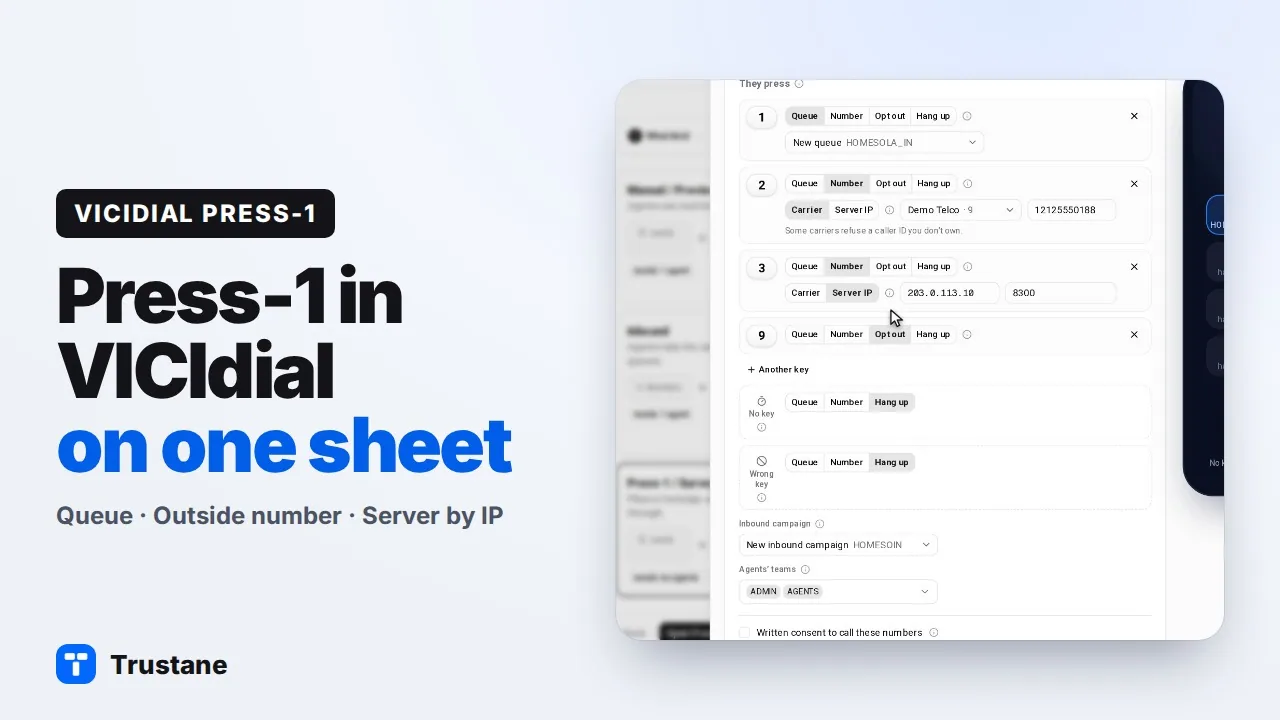
Plays from YouTube when you press Play. Google's privacy policy applies.
VICIdial has no single press-1 object. The sheet assembles one from VICIdial's own parts: an outbound campaign, its lines, a call menu, and for a Queue key an in-group on an inbound campaign. What each part does on a live call is in Press-1 routing under the hood.
Before you start
- The server is running.
- The message is an audio file on the dialer, or one you upload from the sheet. Create refuses a file the server does not have.
- A Number key and the test call need an active carrier on the server. See PJSIP carrier setup.
- A Server IP key needs chan_sip running on the server. Without it, that choice is greyed out.
Open the sheet
- Open the server's Campaigns page and press New campaign.
- Pick the Press-1 / Survey card, then press Open Press-1.
The sheet opens as "New Press-1 campaign". On a wide screen a phone sits on the right. Its keypad shows each key's route, and its foot shows what silence and a machine get.
Dial
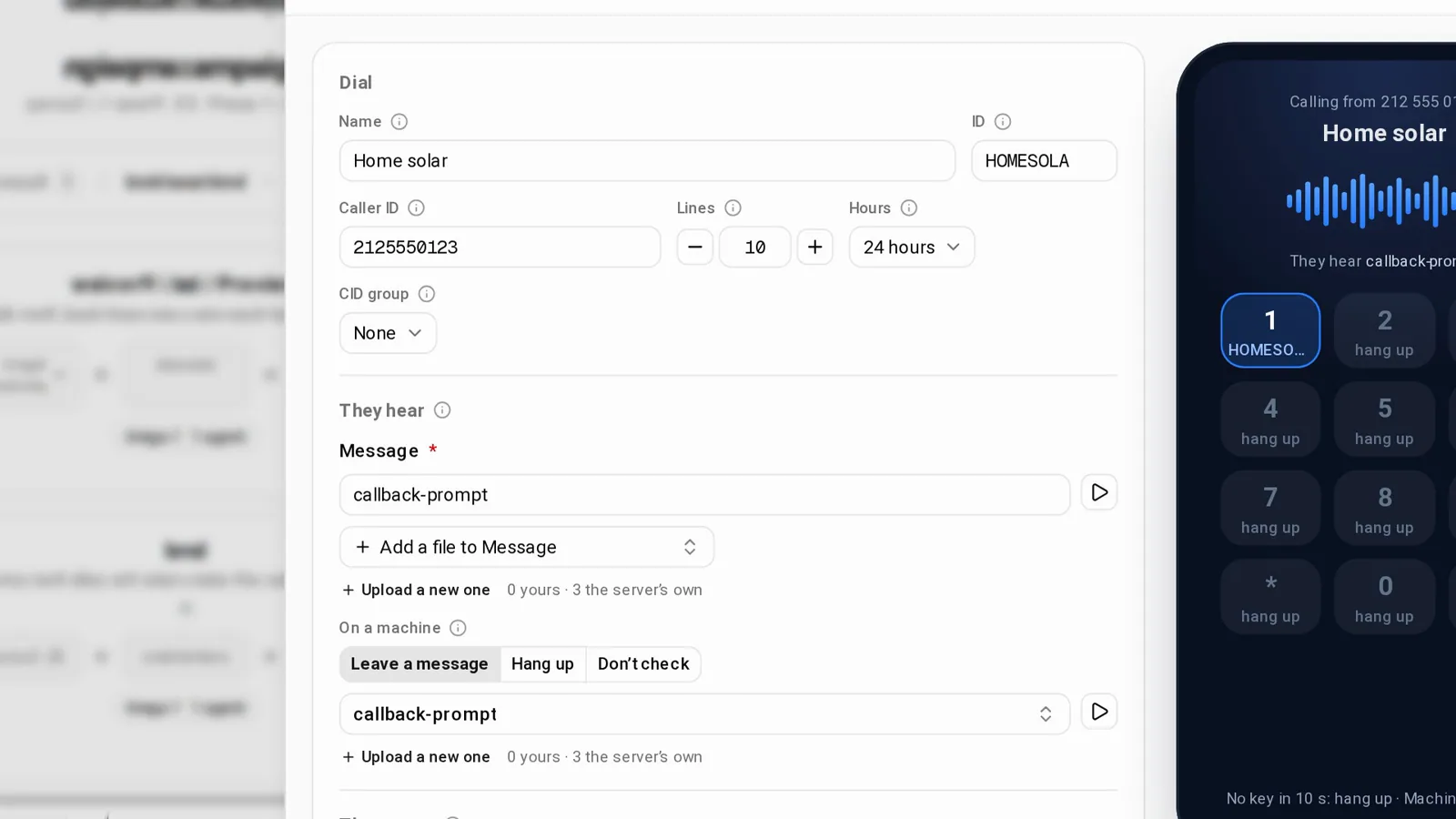
- Name: 6 to 40 characters. The ID is suggested from it: 2 to 8 characters, A to Z, 0 to 9 or _. The examples below use SOLAR.
- Caller ID: the number people see, 10 to 20 digits. Left empty, the sheet warns: "Calls show 0000000000, which many carriers drop."
- Lines: "How many calls ring at the same time." From 1 to 50, and 10 to start.
- Hours: one of the server's call times. VICIdial applies them in the local time of the area being called.
- CID group: optional. It "Picks a number per call, by area code or state." Pick one and a Failover group appears, "Asked only when the CID group has no number for the lead."
They hear
- Message: pick a file or upload one. It plays when they answer.
- On a machine: what happens when an answering machine picks up.
- Leave a message: pick the Machine message file. VICIdial waits for the greeting to finish, then leaves your message.
- Hang up: the machine is detected and the call ends.
- Don’t check: no machine detection at all.
They press
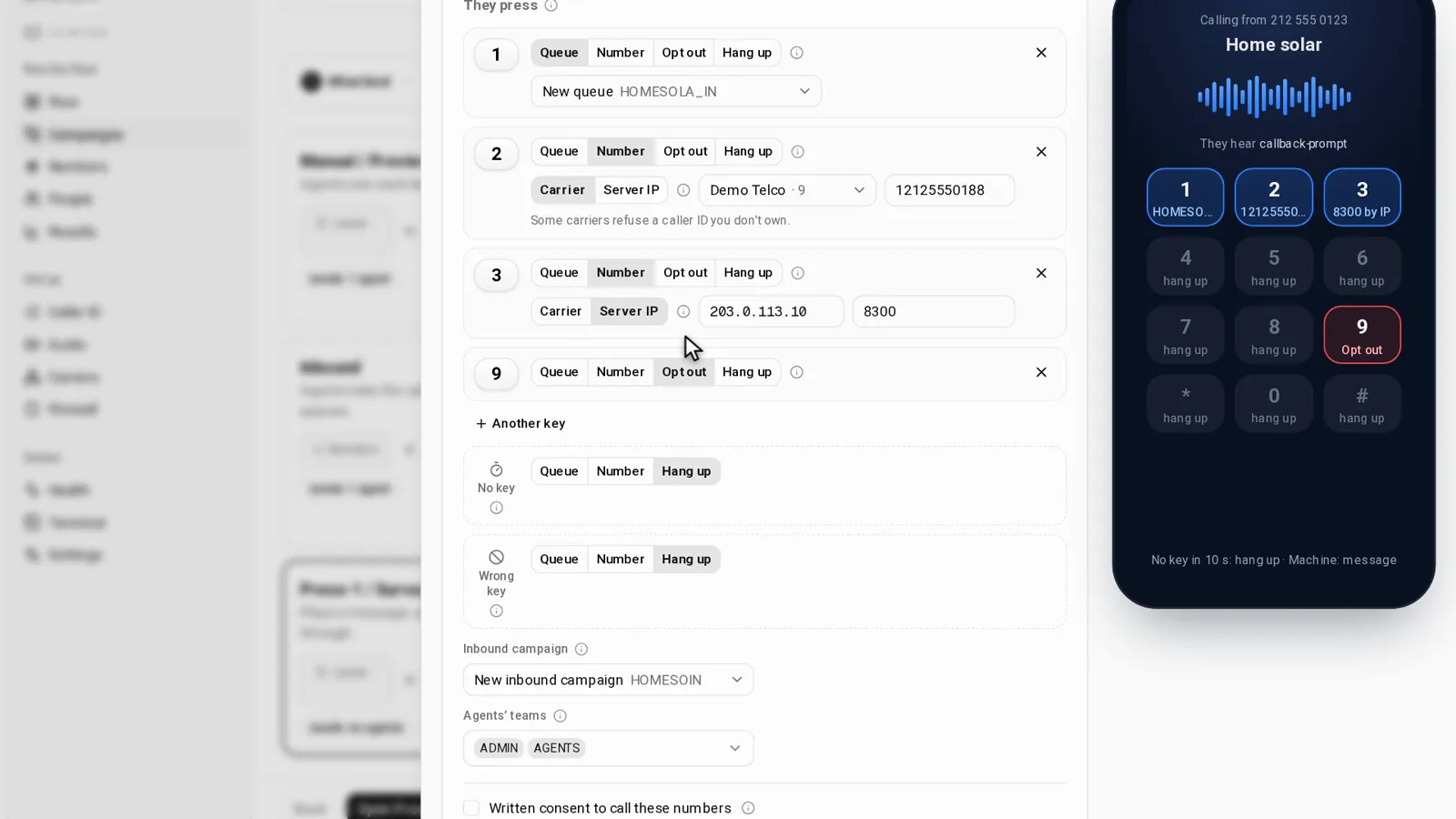
Each row is one key. Click the keycap to change it: 1 to 9, 0, * or #. Another key adds a row, up to 10 keys. Then pick the route:
| Route | Where the call goes |
|---|---|
| Queue | Waits for an agent. New queue makes SOLAR_IN, or pick a queue the server has. |
| Number, then Carrier | Out through one of the server's carriers, to the number you type. |
| Number, then Server IP | Straight to another phone system, by its address. |
| Opt out | "Puts the number on your do not call list." |
| Hang up | Ends the call. |
A key should also let people opt out: put Opt out on 9, and a caller who presses 9 goes on your do-not-call list.
A Number key through a carrier
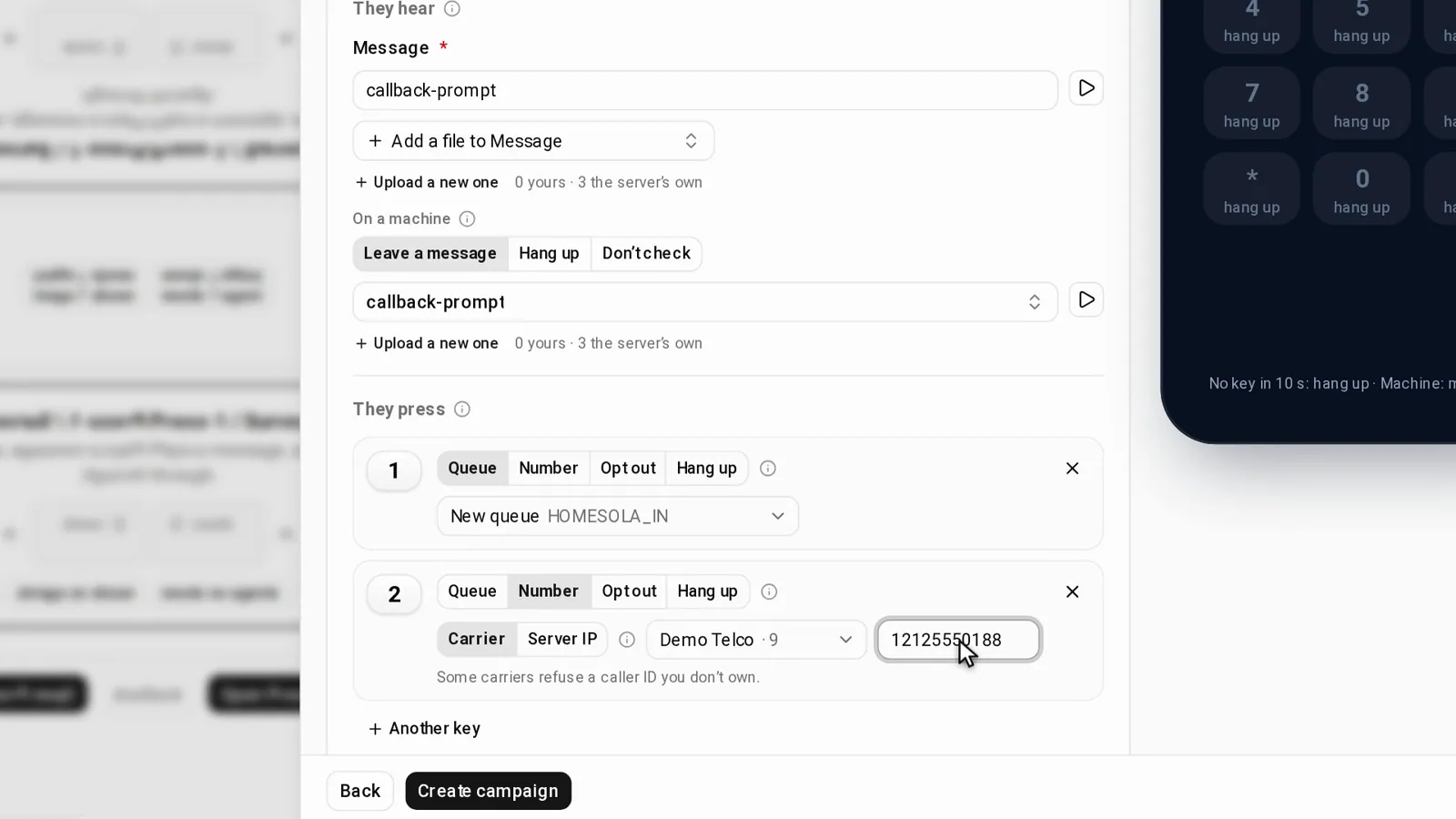
Pick Carrier, then the carrier, listed by name and dial prefix, and type the number: 2 to 15 digits. The sheet checks that an active carrier's dial pattern matches the prefix and the number. If none does, it says so and asks you to check the country code. Under the row it notes: "Some carriers refuse a caller ID you don’t own."
A Server IP key
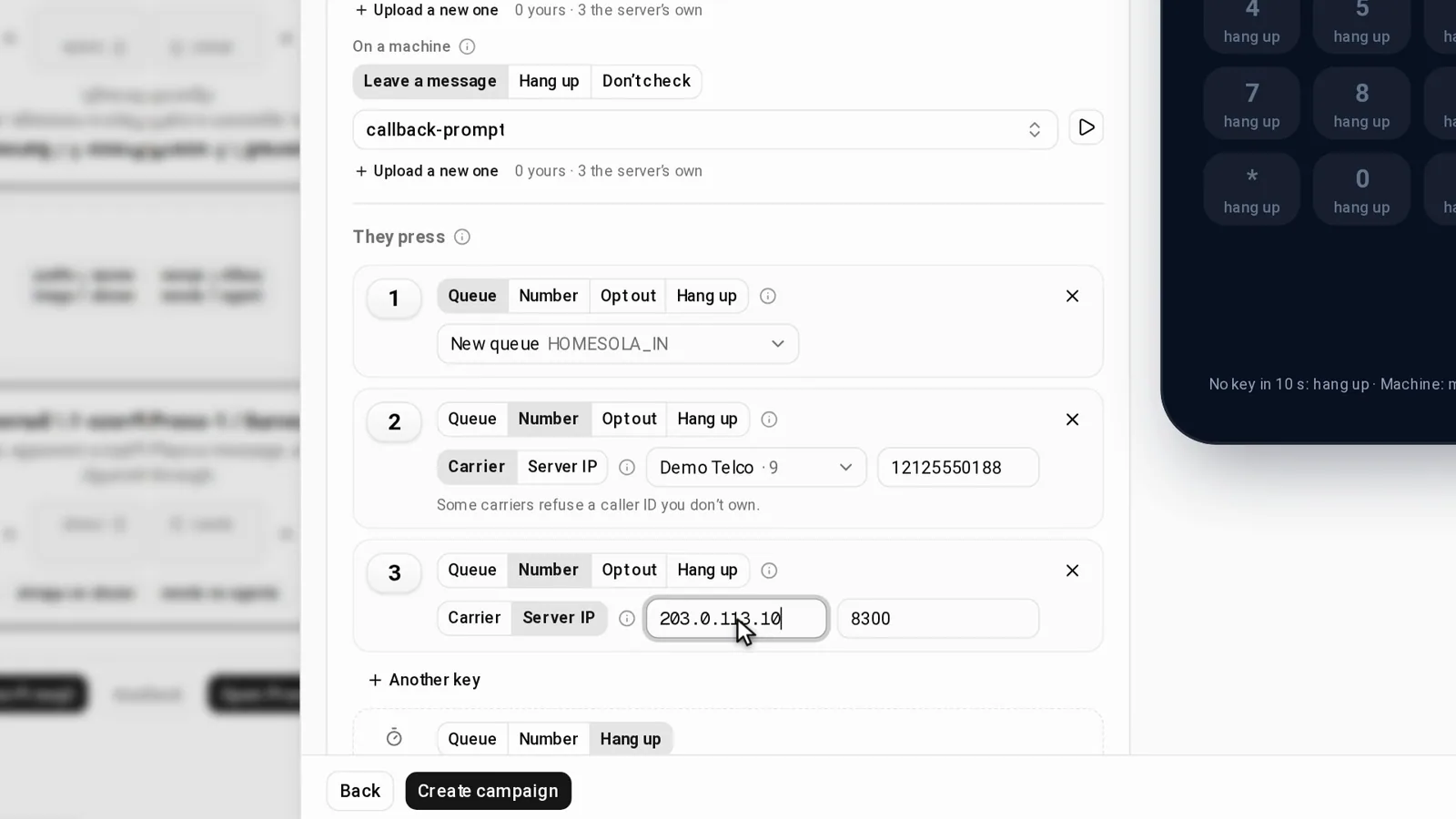
Pick Server IP, type the far server's address, then the Extension or number to ring there. The address must be a public IPv4 address. The sheet refuses private and reserved ranges and this server's own address. It also refuses any address that is one of your server's carriers, checked in the form and again on the server, with "Use the Carrier route for it". The far server must also accept calls from ours, and the done screen lists what its admin sets up.
No key and Wrong key
Two more rows sit below the keys:
- No key: what happens after 10 seconds of silence.
- Wrong key: what a key with no route of its own does.
Each can go to a Queue, a Number or Hang up, and both start on Hang up. Opt out is not offered here: nobody chose it by staying quiet or by a slip. At least one route, a key or one of these two, has to reach a queue or a number.
Who answers a Queue key
Once any route is a queue, the sheet asks two more things:
- Inbound campaign: the campaign agents log in to. New inbound campaign makes SOLARIN, or pick one that takes inbound calls. It cannot be the Press-1 campaign itself.
- The user groups whose agents take the calls, up to 20. Each group is allowed the inbound campaign, and its active agents get the queue ticked.
How VICIdial then picks the agent is in Next Agent Call explained.
The last line
The sheet ends with a checkbox, "Written consent to call these numbers", and Create campaign refuses until it is ticked.
Create
Press Create campaign. Anything to fix shows in a "Not yet" box.
The server then runs one script. It checks first: the ID, the menu ID, the queue, the hours, the audio files and the carriers. Then it writes the campaign, the call menu P1_SOLAR and its keys, the queue and the inbound campaign when a key needs them, a new list for the leads, and the lines, stopped. If any step fails, it removes everything that run made. VICIdial then builds call menus into the dialplan on its once-a-minute pass.
The done screen
The title reads "SOLAR is ready", over chips for the campaign, the menu, the queue, the inbound campaign, the list and the lines. Then three steps:
- Hear it: type your number and press Call me. The server rings you through a carrier. Answer, and you hear the real message, keys and routes before any lead is dialed. One test call per 30 seconds, and 20 a day per server.
- Load leads: opens the new list.
- Start: Start lines switches on the lines that Create made stopped.
Below the steps, each key is listed with where it goes, for example "Queue SOLAR_IN".
A Server IP key adds a block for the far address, with a copy button on each value. With our server at 198.51.100.7 and the number 2001, it reads:
- "Add a SIP trunk (carrier) for 198.51.100.7: IP authentication, no registration, UDP 5060."
- "Send calls for 2001 to the phone or extension that should ring."
- "Firewall: allow 198.51.100.7 on UDP 5060 and 10000 to 20000."
The block ends with "Codec ulaw or alaw · DTMF RFC 2833": the far server should accept ulaw or alaw, and RFC 2833 keypad tones.
Questions people ask
Can I turn a campaign I already have into Press-1?
Yes. Open the campaign, choose Change type, then Press-1 / Survey. The same sheet opens, filled in from the server. A Press-1 campaign has Edit keys instead. Review changes lists each change as Setting, Now and After, and nothing is written until Make it Press-1 or Save changes. "Lists, leads, statuses, recording and DNC stay as they are."
Why does the test call say the menu is not live yet?
The test call first checks that the menu is in the server's dialplan. Straight after Create it is not there yet: VICIdial builds call menus into the dialplan on its once-a-minute pass. Try again after that pass.
What if the menu has routes the sheet cannot show?
They are named under "Some routes only admin.php can change", and saving stays off, so admin.php keeps them.
Next steps
Build one with a single Queue key, and use Hear it before you load a lead. What VICIdial does with each key is in Press-1 routing: queue, number or server by IP. The Press-1 sheet is part of the Trustane console: see VICIdial hosting, pricing, or order a server.
VICIdial is a trademark of its owner.
Sources
- Trustane console, the Press-1 sheet and its words
- Trustane console, the Press-1 rules and the far server's steps
- Trustane console, what Create writes on the server, and the test call
- Trustane console, the New campaign page
- Trustane research, the Press-1 spec and its test calls of 22 October 2026
- VICIdial ADMIN_keepalive_ALL.pl, SVN r4031
Managed VICIdial hosting