VICIdial Next Agent Call: how in-groups route calls
How a VICIdial in-group picks the agent for an inbound call. Who is eligible, all 21 Next Agent Call methods, and what happens when nobody is free.

To the point
An in-group is VICIdial's inbound queue. A call waits in it until an agent who takes that in-group is free, and the in-group's Next Agent Call setting decides which free agent gets it. Everything below is read from VICIdial's source (SVN trunk r4037), its admin help text (r4031) and the manager manual 2.14-960a, then compared with the installed files and database defaults on our ViciBox test server on 6 November 2026.
- An agent takes an in-group only if their campaign allows it and their session selected it.
- admin.php offers 21 Next Agent Call methods on the in-group page.
- Among waiting calls, higher Queue Priority goes first, then the call that has waited longest.
- After Drop Call Seconds, 360 by default, the in-group's Drop Action takes the call.
- Our reading of the defaults: in a blended campaign, waiting outbound calls go ahead of inbound ones (50 against 0).
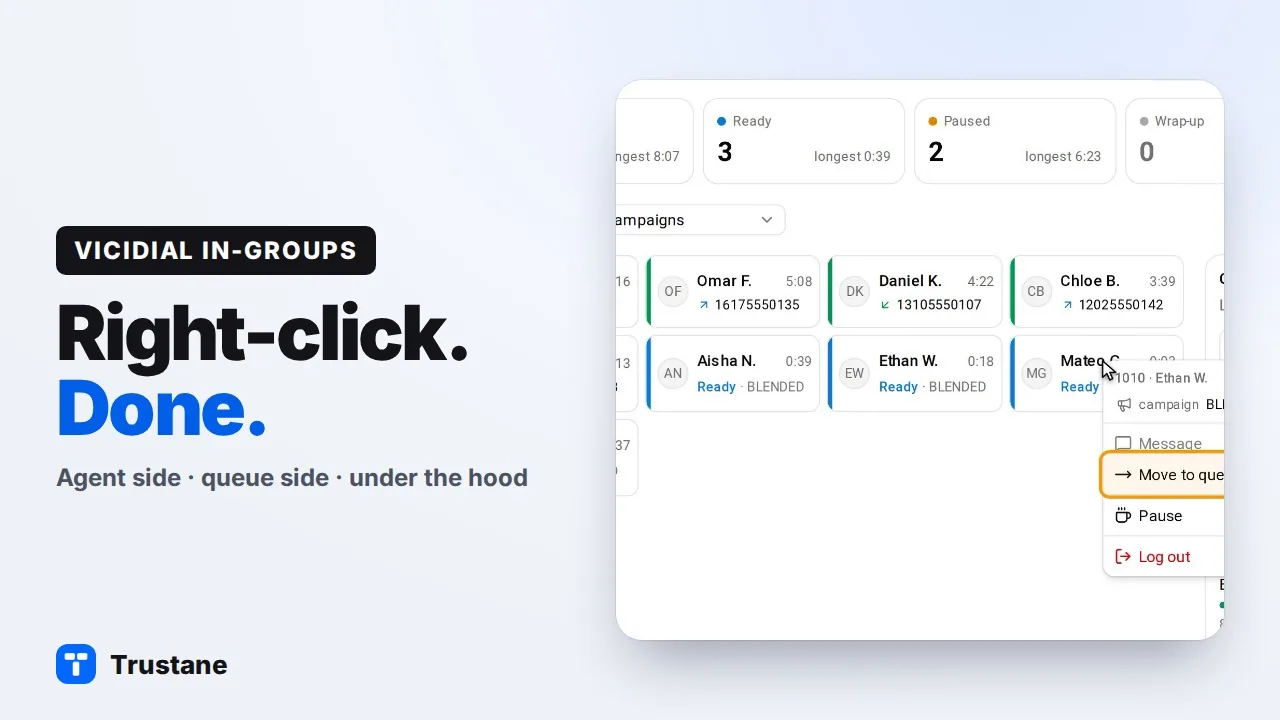
Plays from YouTube when you press Play. Google's privacy policy applies.
What an in-group is
VICIdial's manager manual puts it this way: an agent logs into one campaign and can also take calls from one or more in-groups, "or inbound queues", at the same time (page 15). A DID whose route is IN_GROUP sends its calls straight to one. Each in-group has its own hours, hold music, routing method and overflow rules.
How an agent comes to take one
Three settings decide it, and a fourth adds outbound calls:
- The campaign takes inbound. Allow Inbound and Blended must be Y. With N, or the MANUAL dial method, the agent screen offers no in-groups at login.
- The campaign allows the in-group. Only active in-groups ticked in the campaign's Allowed Inbound Groups are offered.
- The session selects it. With the user setting Agent Choose Ingroups at 1, the schema default, the agent picks from that list at login, starting with nothing selected, and VICIdial saves the pick on their user record. At 0 the screen says "Manager has selected groups for you", and the session gets the user's saved Inbound Groups that the campaign also allows.
- Blended. A ticked BLENDED box at login also sends them outbound auto-dialed calls. It never applies on MANUAL or INBOUND_MAN campaigns.
While the agent is logged in, a manager changes the session from the real-time report: the "+" beside a user offers Add, Remove or Change, and can save the choice as their default (manual, page 352). The agent API function change_ingroups does the same. The manual warns that editing a logged-in agent's Inbound Groups on the user page "will not stay in the system" (page 92).
On the in-group page, the AGENT RANKS FOR THIS INBOUND GROUP grid adds the in-group to many users' saved lists at once, and sets each agent's rank (-9 to 9), grade (1 to 10) and daily limit for it. To do this from Trustane's console, see assigning in-groups from the floor.
Which agents are in the running
VICIdial's inbound script, agi-VDAD_ALL_inbound.agi, offers a call only to an agent who:
- has the status READY or CLOSER and no lead on screen. A paused agent is never picked.
- has an agent screen that is still checking in.
- has this in-group in their session, from their login or a manager's change.
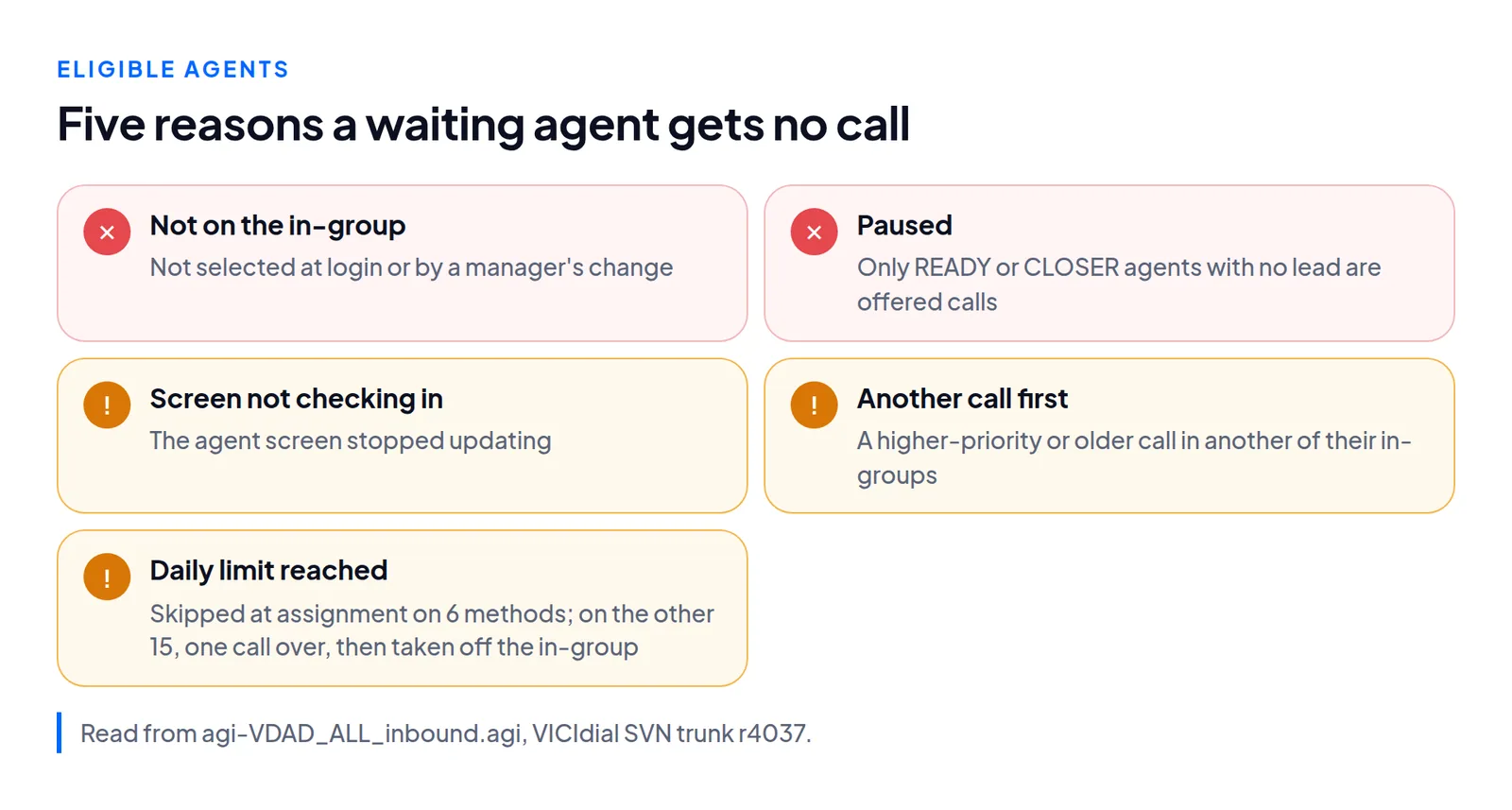
Two more rules apply. An agent who also takes another in-group, where a call has higher priority or the same priority and a longer wait, is kept for that call. And six methods read the agent's own row for this in-group: inbound_group_rank, ingroup_grade_random, campaign_grade_random, fewest_calls, inbound_group_rank_wait_time and fewest_calls_wait_time. Only with those is an agent past their daily limit for the in-group skipped. On the six methods that read the agent's in-group row, an agent who has reached their daily limit is skipped when the call is being assigned. On the other fifteen the limit is not consulted at the assignment, so the agent takes one more call, and VICIdial then takes them off that in-group for the rest of their session.
The 21 Next Agent Call methods
Next Agent Call puts the eligible agents in order, and the first one gets the call. The table lists every value admin.php offers on the in-group page. The help text describes 14. The other 7 are read from the inbound script, which tests each method name as a pattern in turn and keeps the last match.
| Method | Who gets the call |
|---|---|
longest_wait_time | The agent who has been waiting for a call longest. The database default. |
oldest_call_finish | The agent whose last call ended longest ago. |
oldest_call_start | The agent whose last call started longest ago. Calls spread about evenly. |
oldest_inbound_call_finish | As oldest_call_finish, counting inbound calls only. |
oldest_inbound_call_start | As oldest_call_start, counting inbound calls only. |
oldest_inbound_filtered_call_finish | As oldest_inbound_call_finish, counting only calls that pass the user's Max Inbound Calls filter. Inert unless the user has Max Inbound Calls Filtering Enabled: the clock it sorts by never moves. |
oldest_inbound_filtered_call_start | As oldest_inbound_call_start, with the same filter. Inert unless that filter is enabled. |
random | A random order. |
overall_user_level | Highest user level first. |
inbound_group_rank | Highest rank for this in-group first. |
campaign_rank | Highest rank for the campaign first. |
ingroup_grade_random | Random, weighted toward a higher grade for this in-group. |
campaign_grade_random | Random, weighted toward a higher campaign grade. |
fewest_calls | Fewest calls taken from this in-group first. |
fewest_calls_campaign | Fewest calls taken in the campaign first. |
ring_all | Rings every available agent until one answers. |
overall_user_level_wait_time | Highest user level, then longest wait. |
campaign_rank_wait_time | Highest campaign rank, then longest wait. |
inbound_group_rank_wait_time | Highest in-group rank, then longest wait. |
fewest_calls_wait_time | Fewest in-group calls, then longest wait. |
fewest_calls_campaign_wait_time | Fewest campaign calls, then longest wait. |
For the level, rank and fewest-calls methods, a tie goes to the agent whose last call ended longest ago. Their _wait_time forms give it to the longest wait instead. A grade works as odds, and only when more than one agent is free. In the manual's example, grade 10 is ten times as likely as grade 1 to get the call, "but it is still possible that the first agent could receive that call" (pages 91 to 92).
The campaign page has a Next Agent Call of its own, with 11 values. It orders agents for that campaign's outbound calls, not for in-groups.
Which waiting call goes first
Each in-group has a Queue Priority. admin.php lists it from 99 down to -99, and it is 0 by default. A higher priority is answered first, across all the in-groups an agent takes. At the same priority, the call that has waited longer goes first.
The campaign has its own Queue Priority, 50 by default. Our inference from those two defaults and the rule above, not a line VICIdial states: in a blended campaign, waiting outbound calls go ahead of inbound ones. The manual's remedy is to raise the in-group above the campaign, and it advises against that: "outbound calls will not usually hold on the line waiting for an agent" (page 45).
When no agent takes the call
The inbound script checks the in-group's hours first, then whether anyone could answer, and only then queues the call.
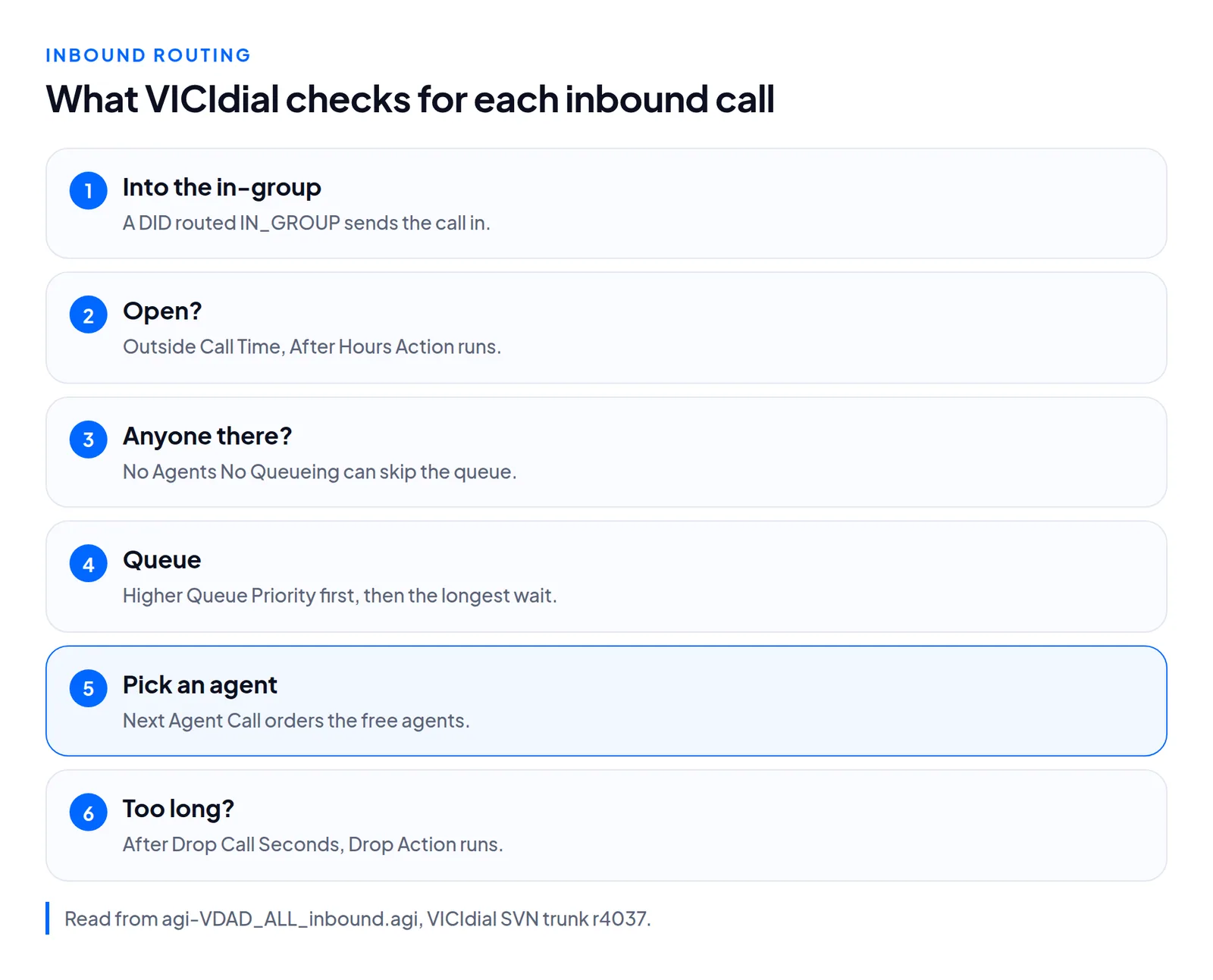
- Closed. Call Time sets the hours, in server time,
24hoursby default. Outside them, After Hours Action runs. An inactive in-group sends every call there. - Nobody to answer. No Agents No Queueing is N by default, so calls queue even with nobody logged in. Y skips the queue when no agent is logged in, NO_PAUSED also when all are paused, and NO_READY also when none is ready. The call then goes to No Agent No Queue Action. Its default plays "nbdy-avail-to-take-call" and "vm-goodbye", then hangs up.
- Waiting. The caller hears the in-group's Music On Hold Context. Every On Hold Prompt Interval, 60 seconds by default, the On Hold Prompt Filename plays, and the help text says that file must be 9 seconds or less. A separate field, On Hold Prompt Seconds (9 by default), must match the file's length.
- Waited too long. After Drop Call Seconds, 360 by default, the call counts as a drop and Drop Action takes it.
| Case | Setting | Choices | Default |
|---|---|---|---|
| Closed | After Hours Action | HANGUP, MESSAGE, EXTENSION, VOICEMAIL, VMAIL_NO_INST, IN_GROUP, CALLMENU | MESSAGE |
| Nobody to answer | No Agent No Queue Action | CALLMENU, INGROUP, DID, MESSAGE, EXTENSION, VOICEMAIL, VMAIL_NO_INST | MESSAGE |
| Waited too long | Drop Action | HANGUP, MESSAGE, VOICEMAIL, VMAIL_NO_INST, IN_GROUP, CALLMENU | MESSAGE |
The three lists are not the same. Only No Agent No Queue Action offers DID, it spells the in-group choice INGROUP where the other two say IN_GROUP, and it has no HANGUP. Drop Action is the only one without EXTENSION. In all three, VMAIL_NO_INST sends the call to a voicemail box without playing instructions after the message.
Questions people ask
Which method does a new in-group get?
Whatever the add form shows when you save. In admin.php that list has no preset choice, so it opens on its first entry, random. The database default, longest_wait_time, applies only where nothing is sent. The manual's inbound tutorial picks oldest_call_finish (page 32).
Does editing saved Inbound Groups change a logged-in agent?
No. Only agents at Agent Choose Ingroups 0 get them, at their next login. Agents at 1 pick again from nothing. Change a live session from the real-time report instead.
Next steps
Write down each in-group's Next Agent Call, Queue Priority and Drop Call Seconds, then check who has each one selected. To bring numbers in, see bulk-adding DIDs. Hosted servers are covered on VICIdial hosting and pricing.
VICIdial is a trademark of its owner.
Sources
- VICIdial admin help text for in-groups, users and campaigns, SVN r4031
- VICIdial admin.php, the in-group page and its agent grid, SVN r4031
- VICIdial inbound routing script agi-VDAD_ALL_inbound.agi, SVN trunk r4037
- VICIdial agent screen, in-group selection at login, SVN trunk r4037
- VICIdial database schema, SVN trunk r4037
- VICIdial agent API documentation, change_ingroups
- Trustane notes on the VICIdial 2.14 manager manual
Managed VICIdial hosting