


VICIdial DID setup: add an inbound number in four steps
VICIdial DID setup in the Trustane console: enter the number, choose a queue, call menu, agent or voicemail, check the hours, review and create the line.

To the point
VICIdial DID setup in the Trustane console is one sheet, New inbound line, with four steps:
- Number: the number as your carrier sends it, and the campaign that answers.
- Goes to: a queue, a call menu, one specific agent, or voicemail.
- Hours: when the line answers.
- Review: what gets created, before anything is written.
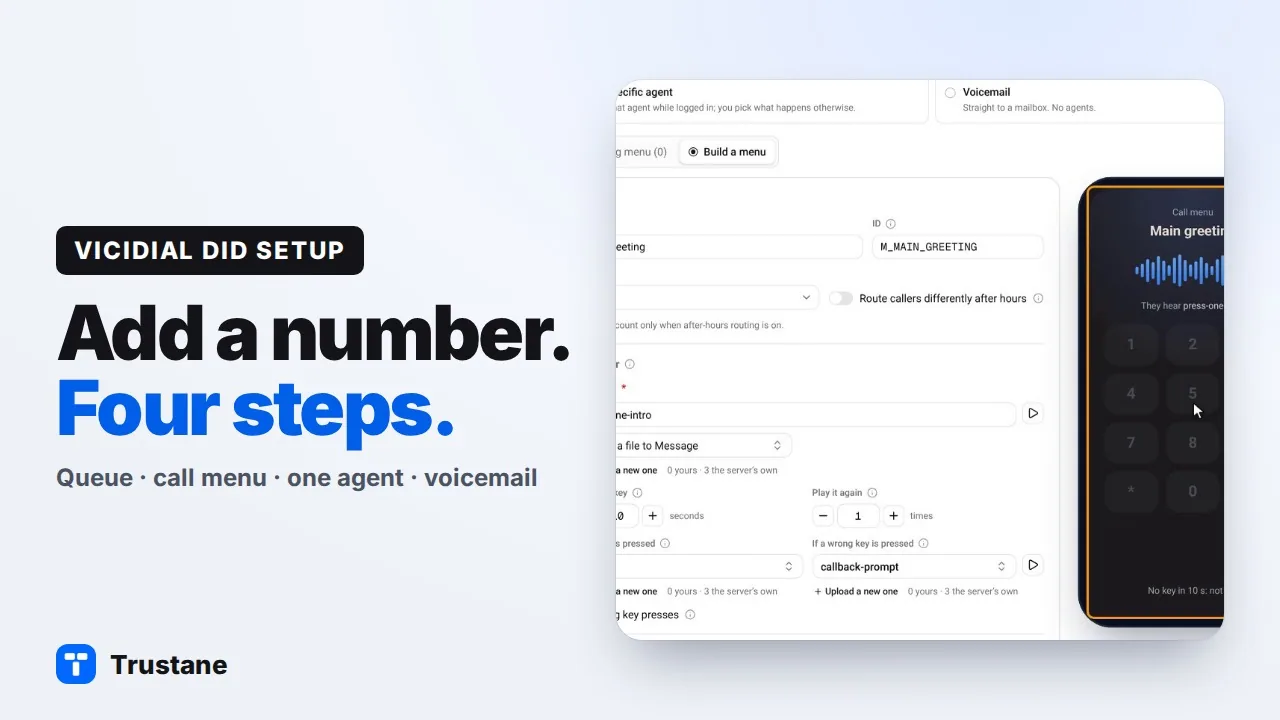
Plays from YouTube when you press Play. Google's privacy policy applies.
These screens are from our demo account, so every name and number shown is invented.
Where inbound numbers live
A DID is a phone number your carrier delivers to your server. In VICIdial each one needs an entry that says where its calls go. In the Trustane console those entries are on Numbers, which has five tabs: Numbers, Queues, Calling hours, Call menus and Blocked callers.
Press New inbound line to add one. A sheet opens with the four steps across the top.
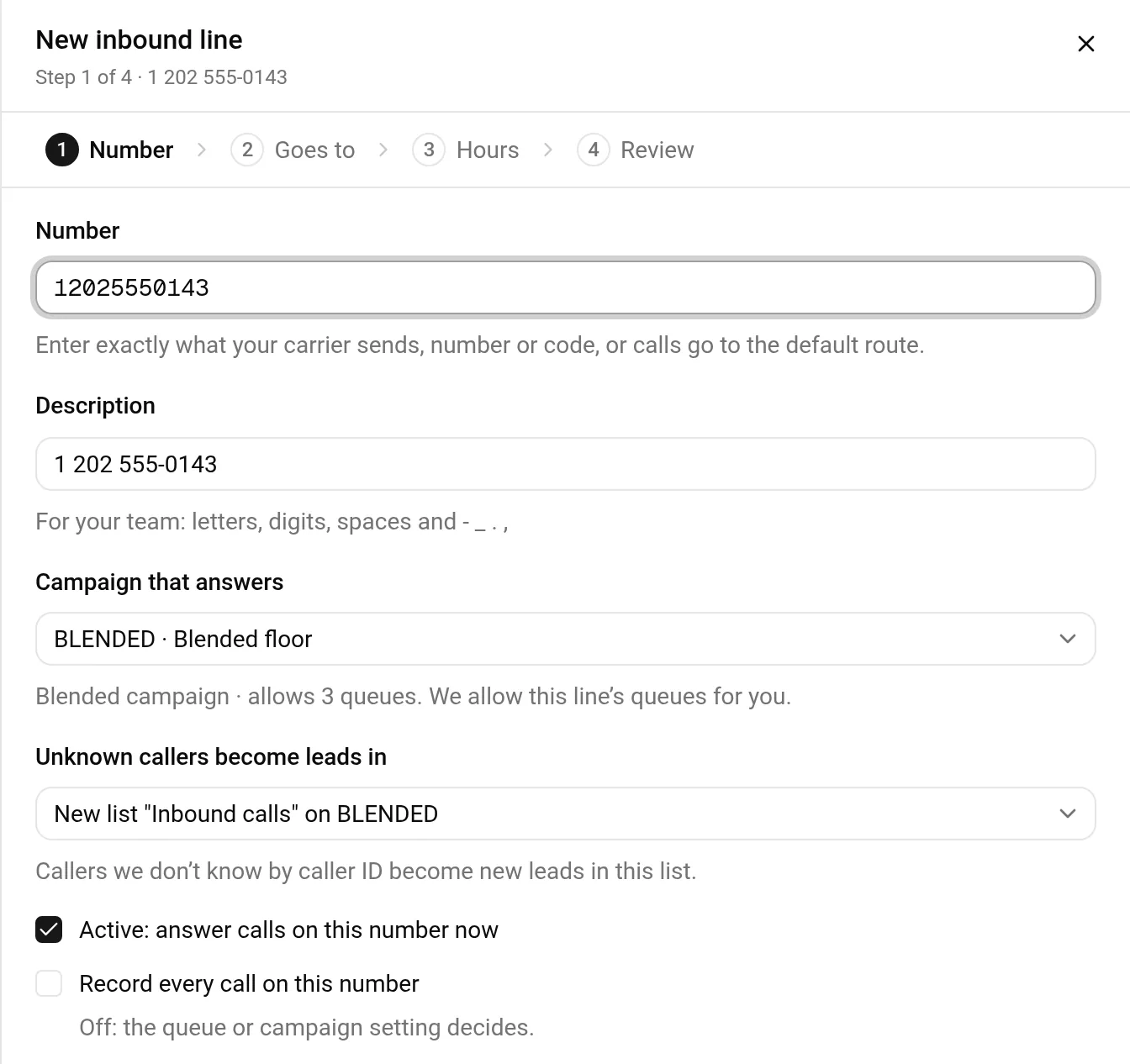
1. Number
- Type the number exactly as your carrier sends it. Some carriers send 11 digits with the country code, some send 10, and some send a code. If the entry does not match what arrives, the call does not reach this line.
- Give it a description for your team. The console fills one in from the number, and you can change it.
- Pick the campaign that answers. Only campaigns that take inbound calls are listed, and the sheet says how many queues that campaign already allows.
- Pick where unknown callers become leads. The default is a new list called "Inbound calls" on that campaign, so inbound callers do not land in the lists you dial from.
- Leave Active ticked to answer calls on this number as soon as the line exists.
By default, callers the server already knows are matched by their caller ID, so a returning caller opens their existing lead instead of a new one.
2. Goes to
Step 2 asks one question: where do calls to this number go? There are four answers.
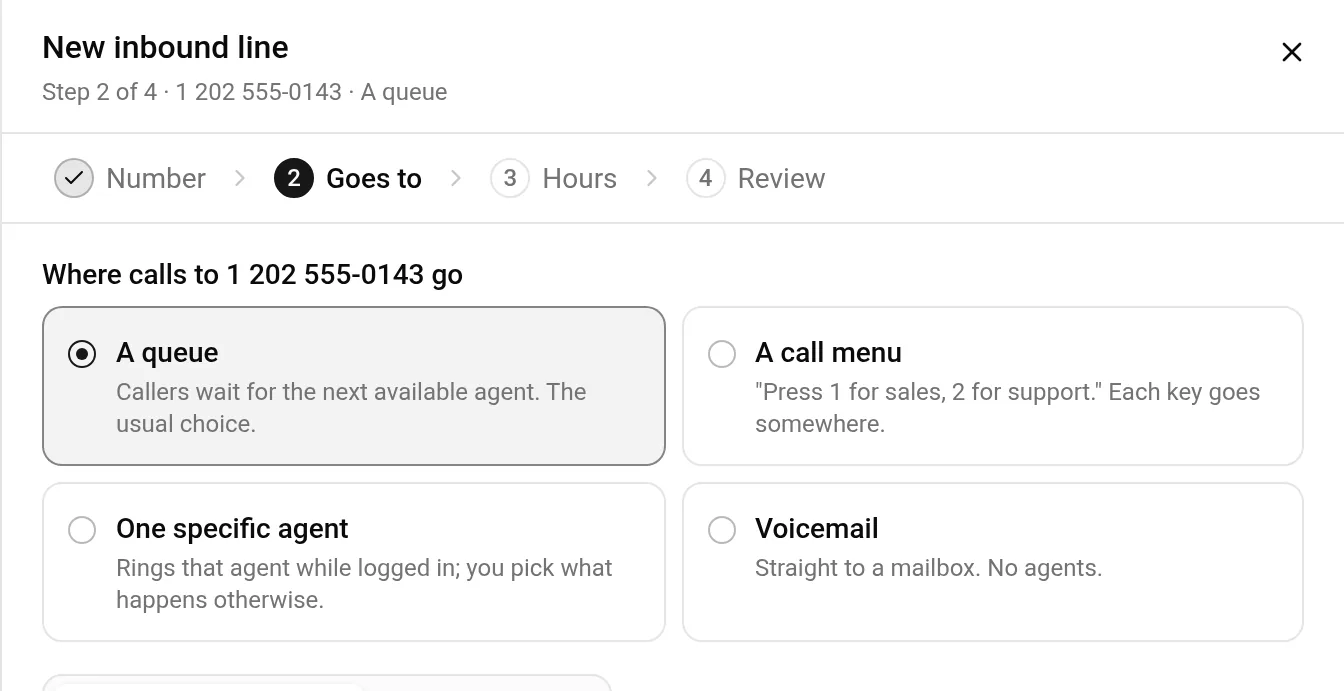
- A queue. Callers wait for the next available agent. This is the usual choice. A queue is what VICIdial calls an in-group.
- A call menu. "Press 1 for sales, 2 for support." Each key goes somewhere.
- One specific agent. The number rings that agent while they are logged in, and you pick what happens otherwise: a mailbox, a queue, or hang up.
- Voicemail. Straight to a mailbox, with no agents.
A queue
Pick an existing queue, or choose New queue and name it. A new queue also asks how agents are rung.
There is one more setting that is easy to miss in VICIdial: a campaign's agents only get a queue's calls when that queue is allowed in the campaign. The console checks this for you. If the queue is already allowed, the sheet says so. If it is not, the console allows it when the line is created, and the Review step names the change. A queue that is newly allowed reaches the agents who log in, or pick their queues again, after that.
You can also let every agent in a team take the queue. That is optional, and it selects the queue for those agents when they log in.
A call menu
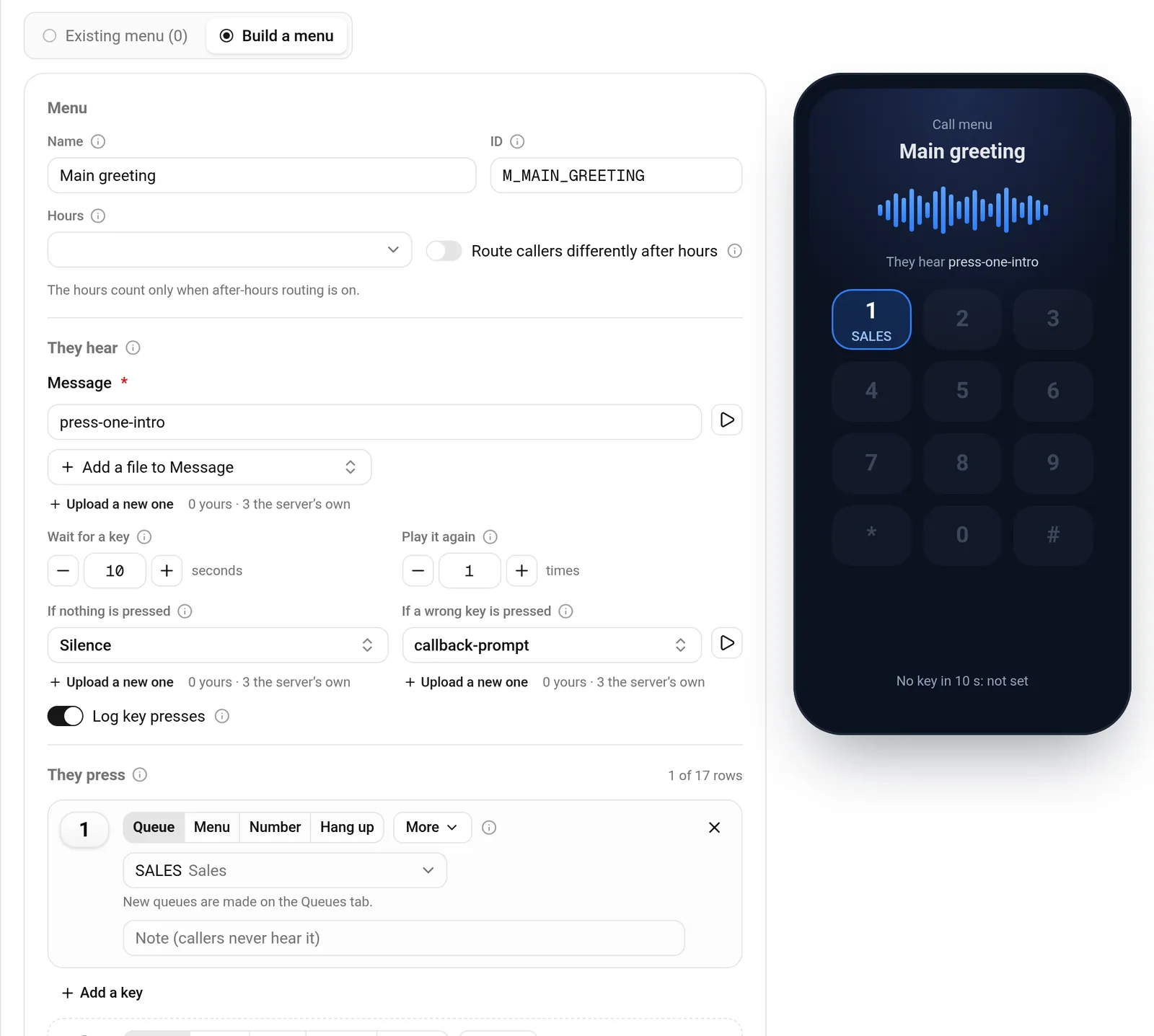
A menu can be built on the same step. You give it a name, pick the message callers hear from the audio on your server or upload a new one, and add a key for each choice. A key can go to a queue, another menu, an extension or another of your numbers, or hang up. A preview beside the form shows the menu as you build it.
Voicemail
Choose an existing mailbox or make a new one with a mailbox number and a name. You can add an email address, and each message is then emailed as an attachment.
3. Hours
What step 3 shows depends on step 2. A number that goes to an existing queue keeps that queue's own call time and its after-hours behaviour, and the sheet tells you where to change them: Numbers, then Queues, then the queue. A new queue asks for its call time and what happens outside it. A call menu follows its own call time, and voicemail answers around the clock.
4. Review
The last step lists the line in plain words: the number, where it rings, how callers become leads, the campaign, and when it goes live. Under that, What gets created names each thing the console will write. Nothing has been written at this point.
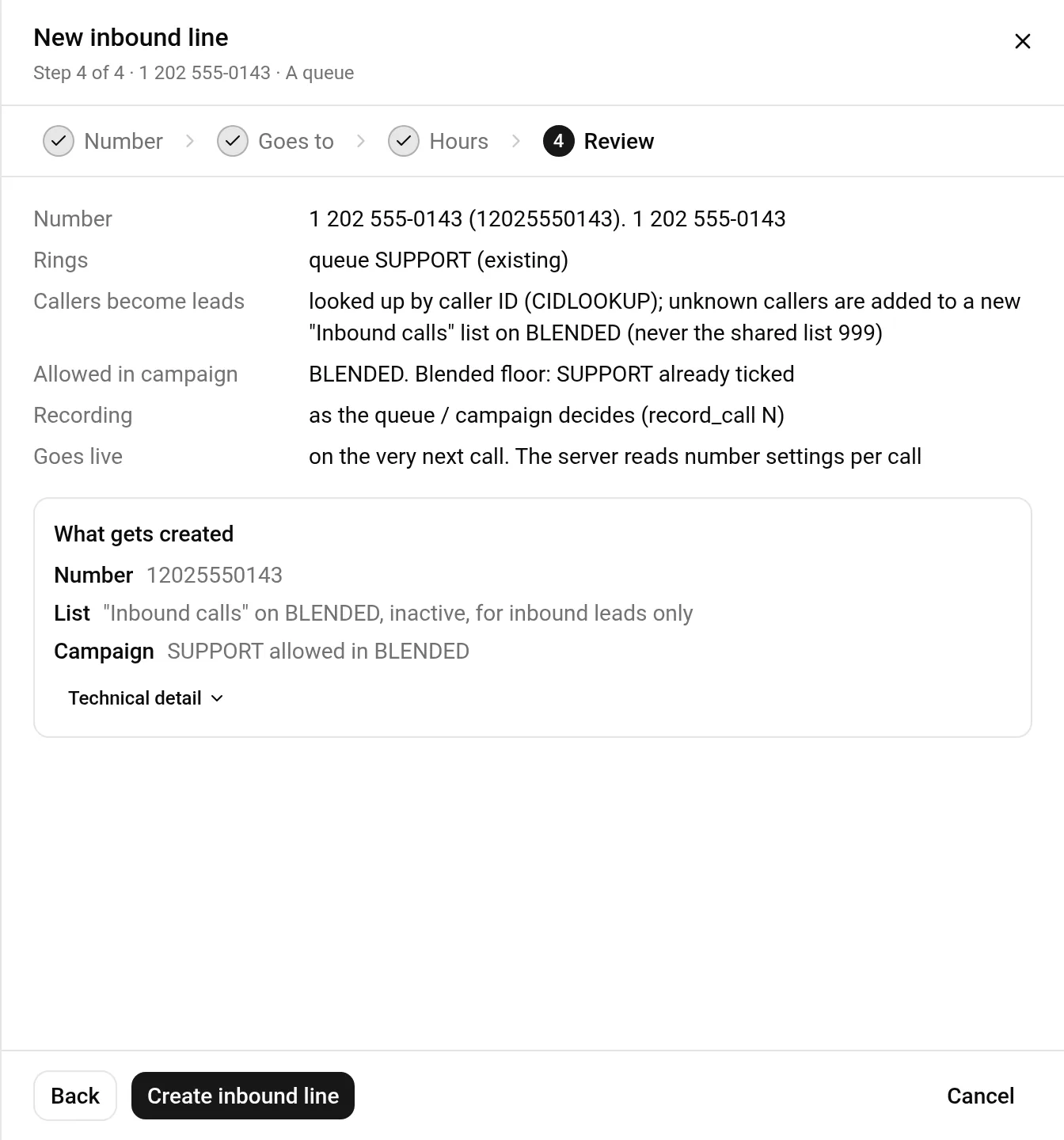
If you want the full detail for a change record, open Technical detail. Then press Create inbound line.
A number that goes to an existing queue is live on the next call. A line that comes with a new call menu or mailbox is saved switched off. The server builds the menu or mailbox within about a minute, and you then switch the number on in Numbers.
After the line exists
Back on Numbers, each number shows where its calls go, its calls today and how many were missed. Right-click a number to open its queue, its menu, or the same entry in admin.php. The Queues tab shows each queue's numbers, its agents, who is ready, calls today and missed calls.
To see what a single caller went through, read how to find what happened to a call. To understand how a queue chooses the agent, read how VICIdial in-groups pick the next agent. For the routes VICIdial itself offers on a DID, read VICIdial inbound routing, explained.
The four steps again
| Step | You decide | The console does |
|---|---|---|
| Number | The number, the campaign, the list for unknown callers | Fills the description from the number |
| Goes to | Queue, call menu, one agent, or voicemail | Checks the queue is allowed in the campaign |
| Hours | When a new queue answers | Shows an existing queue's own call time |
| Review | Whether to create it | Lists every change first |
- Order a server and add your first inbound number. The first 7 days of a new server are free.
VICIdial is a trademark of its owner. Trustane is an independent hosting provider.
Sources
- The New inbound line steps and their wording
- What an inbound line writes on the server
- The rules behind each choice
- The Numbers grid
Managed VICIdial hosting