Where to host VICIdial: packet loss is a route, not a provider
Two data centres, one office, 20% loss on one path and none on the other. How to choose a VICIdial region by testing routes, and what tuning cannot fix.

To the point
Choose a VICIdial region by measuring the route from each candidate data center to your agents' office before you order. We saw one office lose about 20% of packets from one data center and 0% from another, with the same provider, server type and hour.
- Loss lives on a route between two networks, and you are buying one end of it.
- From a US East data center we measured 20% loss and 288 ms. From Helsinki, the same office saw 0% and 169 ms.
- Tuning the server's TCP did not move the LAGGED rate.
- Trace at your busy hour, from two candidates at once.
What we saw
The server sat in a US East data center and the office was on another continent. The server was healthy: CPU 71% to 95% idle and 0% loss to a well-connected public address. The path to the office showed about 20% loss.
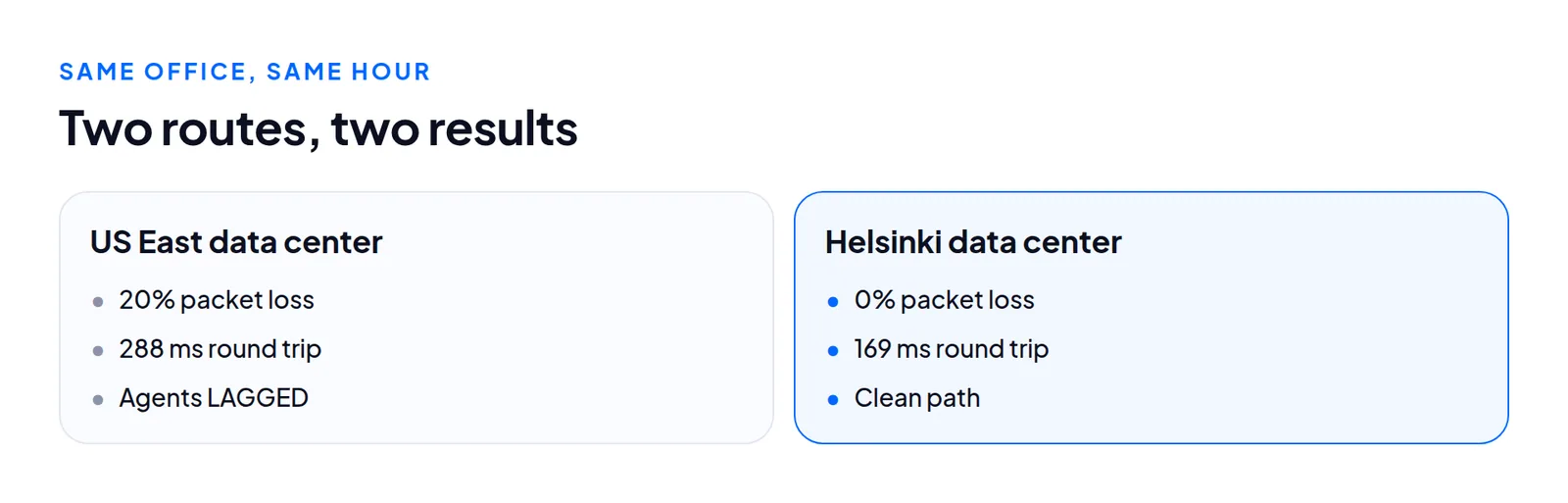
A provider-level answer such as "Hetzner is good" or "Hetzner is bad" is wrong both ways. What differed was the transit networks and exchange points between the data center and that office's ISP. The diagnosis is in LAGGED agents are usually a network problem. This post is the hosting half.
How to measure before you buy
A server from a prepared image can be reachable in about a minute (see build times), so trying three regions costs minutes and a few cents of hourly billing.
From the candidate to the office. On a throwaway server in each region:
mtr -rwzbc 100 OFFICE-ADDRESS-r prints a report, -w keeps host names whole, -z shows AS numbers, -b shows name and address, -c 100 sends 100 probes per hop. Read the last line first: the loss on the final hop is what your traffic sees. Loss on a middle hop that does not continue to the end is usually a router declining probes. Loss that starts at a hop and carries through every hop after it is real. If the office does not answer ICMP, ask someone there to run mtr the other way.
From the office to the candidate. Paths are not symmetric. A clean forward path with a lossy return hurts a call just as much.
At your busy hour. Congestion follows the evening peak in the office's country. One good run proves little. A bad number at the busy hour is the strongest evidence you can get.
From two places at once. What turned a hunch into an answer was tracing from two data centers at the same moment. If only one shows loss, the office and the destination are cleared and that route is the problem.
What audio and signaling see
On that floor the loss also hit the media. sip show channelstats on a chan_sip server reported 5% to 19% of audio packets lost per call towards agents. TCP showed 5.7% of segments retransmitted towards the office, with 264 timeouts in one minute. Calls that "cut out" and agents who "keep getting paused" were one cause.
Check your own server:
ss -tin dst OFFICE-ADDRESSLook at the retransmit count per connection. A healthy path shows a fraction of a percent.
What tuning did not fix
We tried BBR congestion control, shorter retransmission timeouts for thin streams and no slow start after idle. It was worth trying and we would again, but it did not move the LAGGED rate. When a path drops every packet for 30 seconds, a check-in has nowhere to go however cleverly the sender retries. Tuning is polish on a good route.
Choosing, in practice
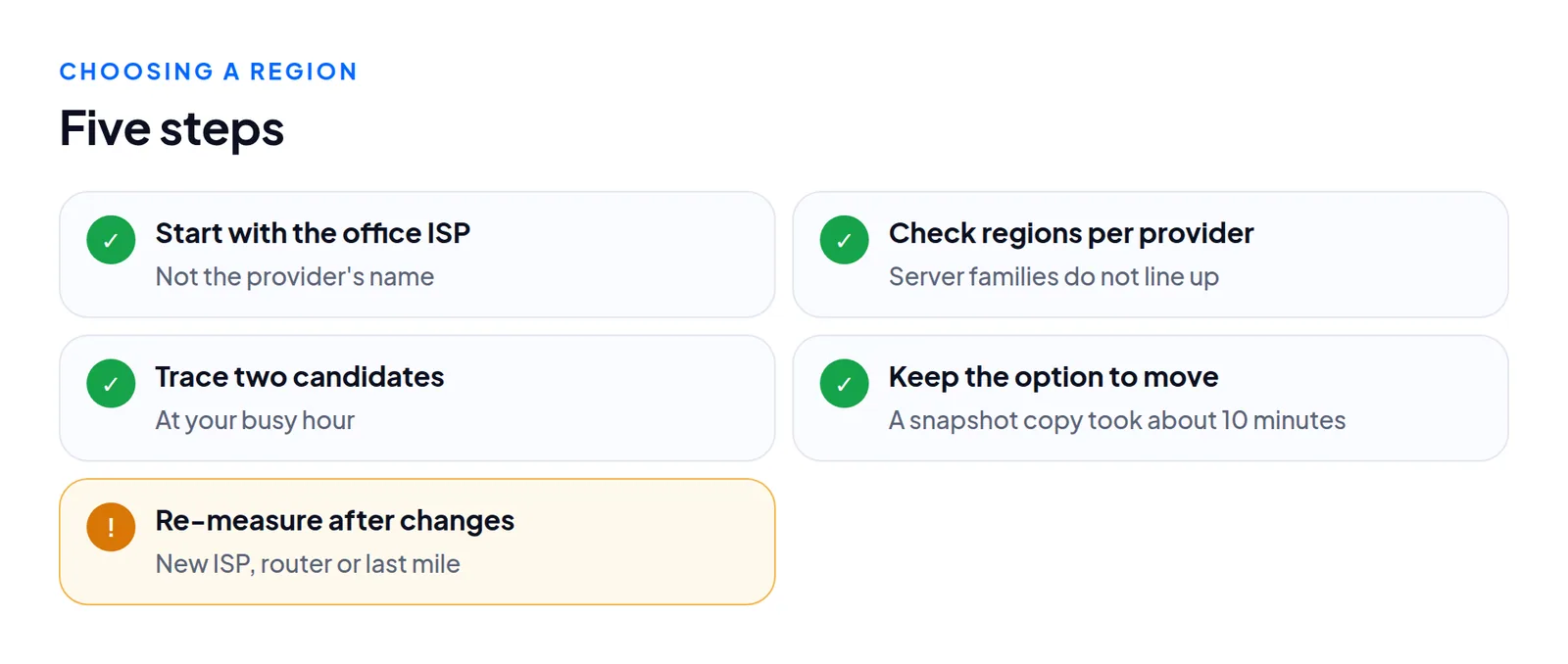
- Start with the office's country and ISP, not the provider's name. Near on a map is not near on a routing table.
- Check what each provider offers where. On one DigitalOcean account we tested, Basic Droplets were in eight regions and CPU-Optimized in four, with both in only two. Your server type may decide your region.
- Trace from at least two candidates per office. With several offices, weigh them by headcount.
- Keep the option to move. A snapshot copied to another region took about 10 minutes per region in our DigitalOcean tests.
- Re-measure after any office change: a new ISP, router or last-mile provider.
Home agents and a second line
Home agents have many addresses. We did not investigate that case and have no numbers. The method still applies per person: if one agent is LAGGED far more than others, have them try a phone hotspot for an hour. If their pauses stop, it is their connection, and moving the server will not help.
A second internet line at the office was the other fix we saw for blackouts. It gives the office a second route to the same server, and you control it without touching the hosting.
Questions people ask
Is one provider just worse for my office?
Not necessarily. We saw the same provider give 20% loss from one site and 0% from another, because the route differed.
Can server tuning fix packet loss?
Not on a bad route. Our TCP changes did not move the LAGGED rate.
Next steps
Trace from two or three candidate regions at your busy hour, then order the cleanest. We offer servers in several regions, and if you send your office mtr and tell us where agents sit, we will say which region we expect to be clean and why. See VICIdial hosting, pricing, the SLA, or contact us.
VICIdial is a trademark of its owner. Trustane is an independent hosting provider.
Sources
- Trust report, agent connectivity checks
- Capacity findings, what a floor needs from the box
- Hetzner documentation, backups and snapshots overview
- Cover photo by Tara Winstead on Pexels
Managed VICIdial hosting