VICIdial on Ubuntu 24.04: the install traps we hit
Four traps on a fresh Ubuntu VICIdial install, from a truncated ps line that respawns daemons every minute to an AMI listening on every interface.
To the point
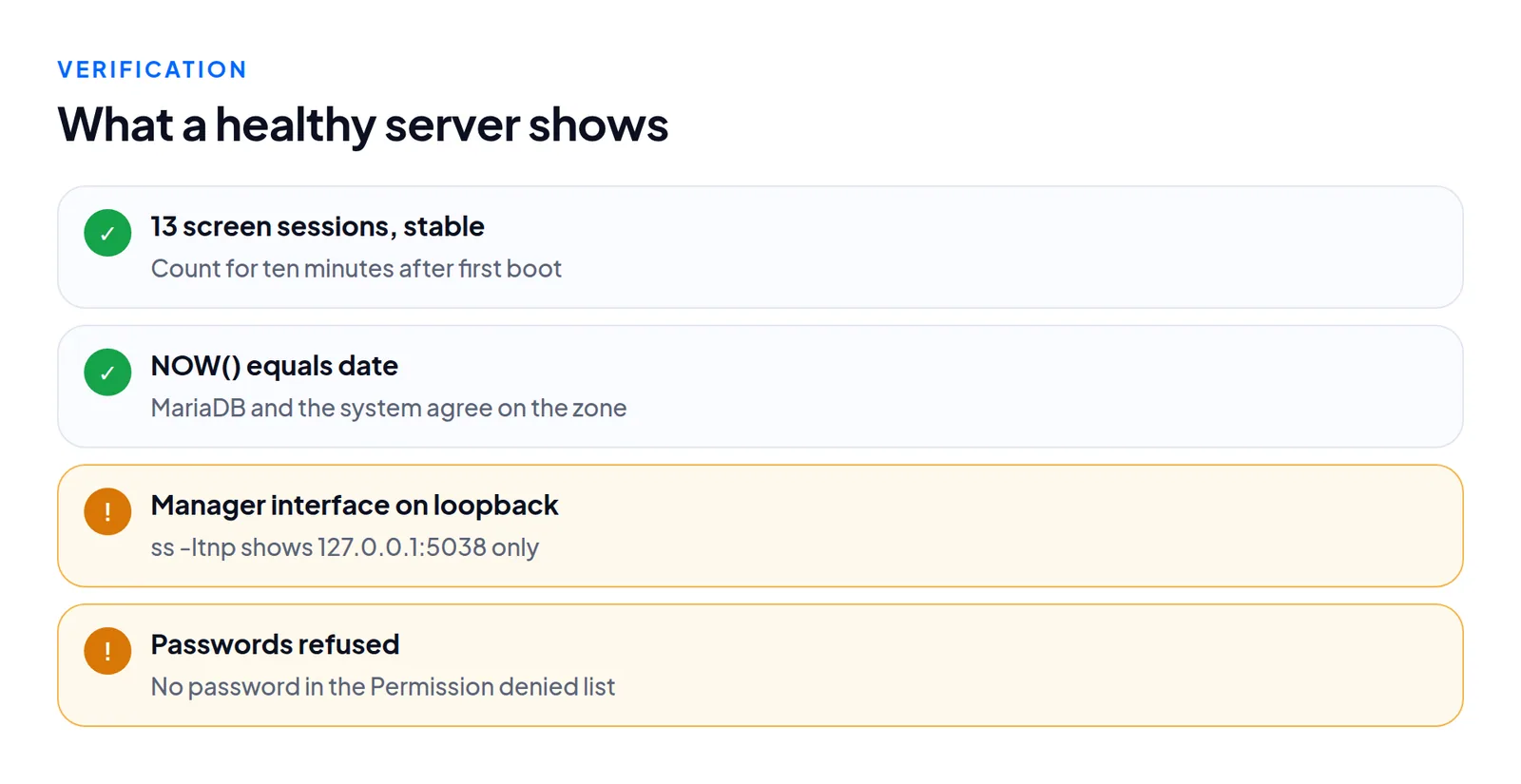
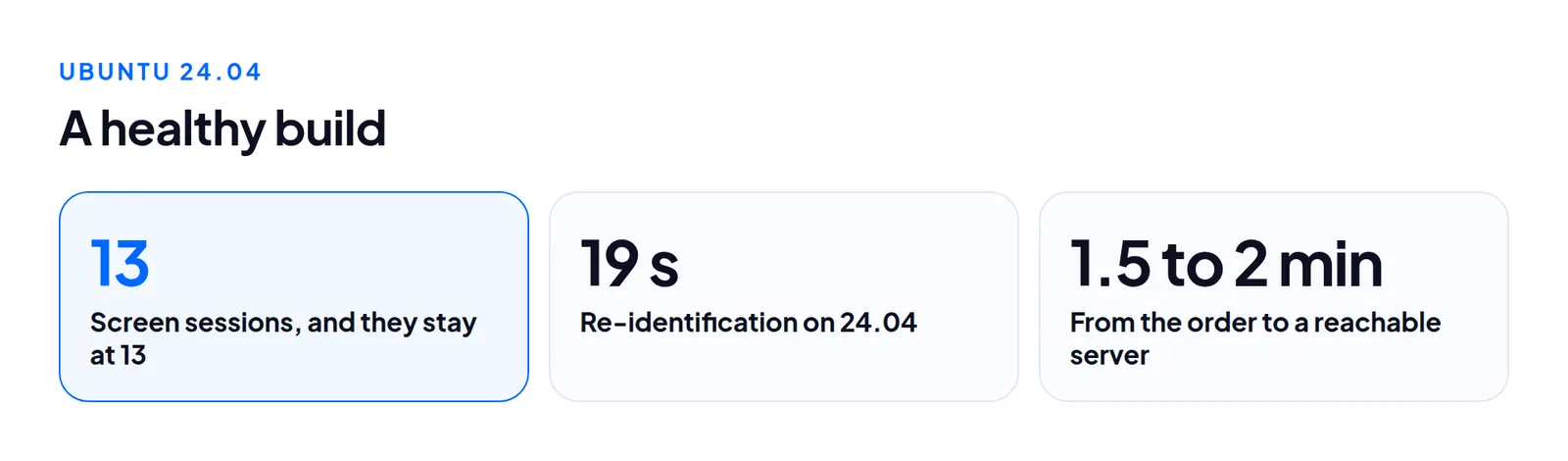
Four things go wrong on a fresh Ubuntu 24.04 VICIdial install that do not on older releases, and each looks like something else. A healthy build ends with 13 screen sessions that stay at 13.
pstruncates its command column, so the keepalive respawns daemons every minute and the screen count climbs./etc/timezoneis stale, so MariaDB runs on UTC while VICIdial uses the real zone ("LISTENER DEAD").- The Asterisk manager interface binds to
0.0.0.0with a well-known default secret. - Cloud-init can turn SSH password login back on after you disabled it.
Trap 1: the keepalive cannot see its own daemons
Symptom. The screen count climbs: 13, then 16, then 19. The send, auto-dial and remote-agent daemons never stay up.
Cause. VICIdial's keepalive finds its daemons with ps -o "%p %a". On the procps-ng in Ubuntu 24.04 the command column is cut at about 27 characters. -ww and a wide COLUMNS did not help. The script cannot find the process it started a minute ago, decides it died, and starts another.
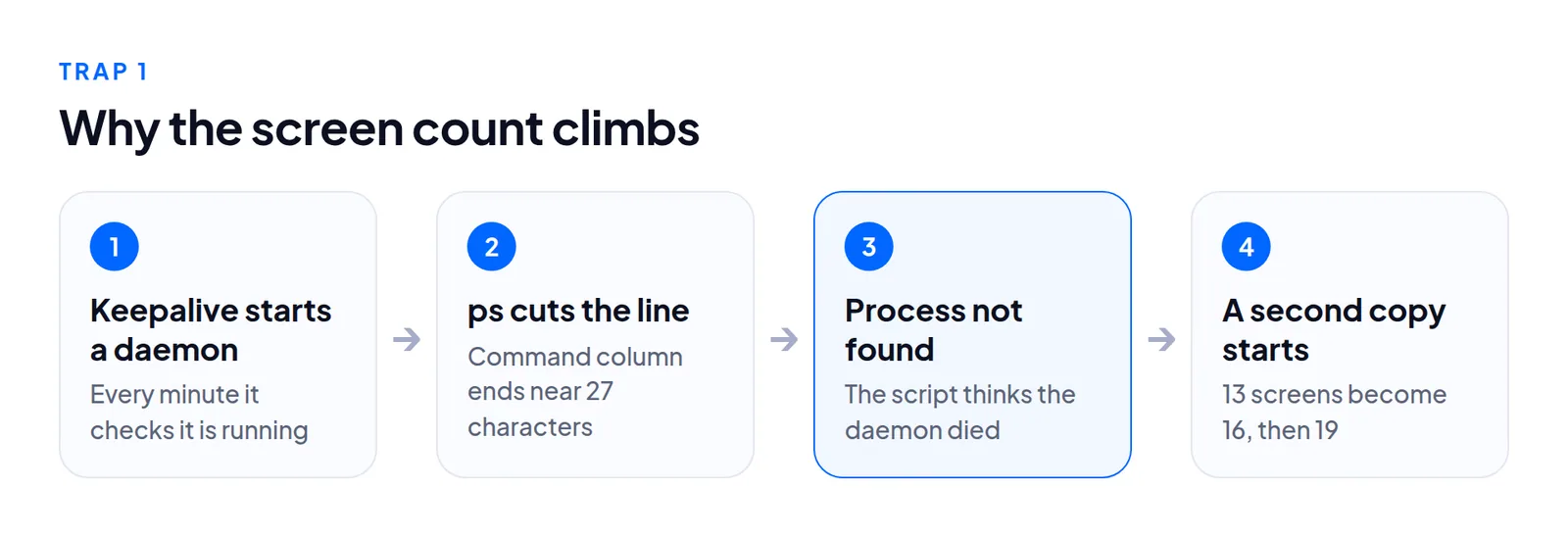
Fix. Use a form that does not truncate: ps -o pid,args. To catch it, watch screen -ls for ten minutes after first boot. A stable count passes. VICIdial changes often, so check whether your revision already handles this.
Trap 2: the clock in the database is wrong
Symptom. The agent screen says "LISTENER DEAD", or reports show events hours off. For us NOW() in MariaDB was four hours from the timestamps VICIdial wrote itself.
Cause. From Ubuntu 24.04, timedatectl no longer writes /etc/timezone, so the file is stale. MariaDB came up on UTC while VICIdial used the real zone.
Fix. Set the zone with timedatectl set-timezone, then compare:
date
mysql -e "SELECT NOW(), @@system_time_zone, @@global.time_zone"
MariaDB 11 ships only mariadb-tzinfo-to-sql, not the older mysql_tzinfo_to_sql name, so update any script that loads time zones. The wider clock problem is in time zones and local_gmt.
Trap 3: the manager interface is public
Symptom. None. Everything works.
Cause. install.pl writes manager.conf with bindaddr = 0.0.0.0, six users and no permit lines, with the well-known default secret. Behind a closed firewall you may never notice. On a plain cloud image with none, the manager interface answers on every interface.
Fix. The daemons talk to it over loopback, so binding it to 127.0.0.1 costs nothing. Check:
ss -ltnp | grep 5038You want 127.0.0.1:5038 and nothing else. Then review the other listeners, such as FastAGI on 4577 and the DUNDi port 4520, and decide each on purpose. A single box rarely needs them reachable from outside. See securing a VICIdial server.
Trap 4: password SSH comes back
Symptom. You disabled password login, tested it, and a rebuilt server accepts passwords again.
Cause. sshd keeps the first value it reads. The cloud image's 50-cloud-init.conf turns passwords on, so a later drop-in such as 99-hardening.conf loses. Cloud-init also regenerates its file at boot.
Fix. Name your drop-in so it sorts first, 00-hardening.conf, and set ssh_pwauth: false in a file under /etc/cloud/cloud.cfg.d/. Run sshd -t, then reload (not restart) so live sessions survive. To prove it, ask for password authentication only:
ssh -o PreferredAuthentications=password -o PubkeyAuthentication=no -o BatchMode=yes host trueRead the methods in Permission denied (...). password must be absent.
Check all four on every build
None of the four shows in the install log. Treat each as a number with a healthy value:
Once fixed, a 24.04 server from a ready image was reachable and personalized in 1.5 to 2 minutes from the order. The re-identification took about 19 seconds on 24.04. Ubuntu 26.04 was slowest at around 74 seconds. Where those seconds go is in our build timings.
We tested boot, verification and the 13-session check, not sustained production load. For capacity use lines per agent.
Questions people ask
How long should I watch the screen count?
Ten minutes after first boot. 13 and steady is healthy. A rise from 13 to 16 to 19 is trap 1.
Do these traps affect Ubuntu 22.04?
Traps 3 and 4 are not tied to 24.04, so check them everywhere. The ps truncation and the stale /etc/timezone are the 24.04 and later changes.
Next steps
Run the four checks from another machine after your first boot. If you would rather receive a server that has already passed them, see VICIdial hosting or order one.
VICIdial is a trademark of its owner. Trustane is an independent hosting provider.
Sources
- Migration ground truth, schema and server rows on a fresh install
- man7.org, ps(1) manual page
- Cover photo by Rafael Minguet Delgado on Pexels
Managed VICIdial hosting