VICIdial backups: what to keep, what to skip, how a restore goes
A nightly dump of a 2.9 GB VICIdial database streamed off-box in 75 seconds, a restore check in 20, and why recordings need their own plan.
To the point
Keep a nightly compressed dump of the VICIdial database somewhere that is not the server, keep 14 of them, and prove each one restores. Treat recordings as a separate problem on a separate schedule.
- One real dump: 2,933 MB, 348 tables, 411 MB compressed, 75 seconds box to bucket.
- The restore check took 20.5 seconds and peaked at 92.3 MB of memory.
- Leave out the eight MEMORY tables.
- A restore needs a destination schema at least as new as the dump.
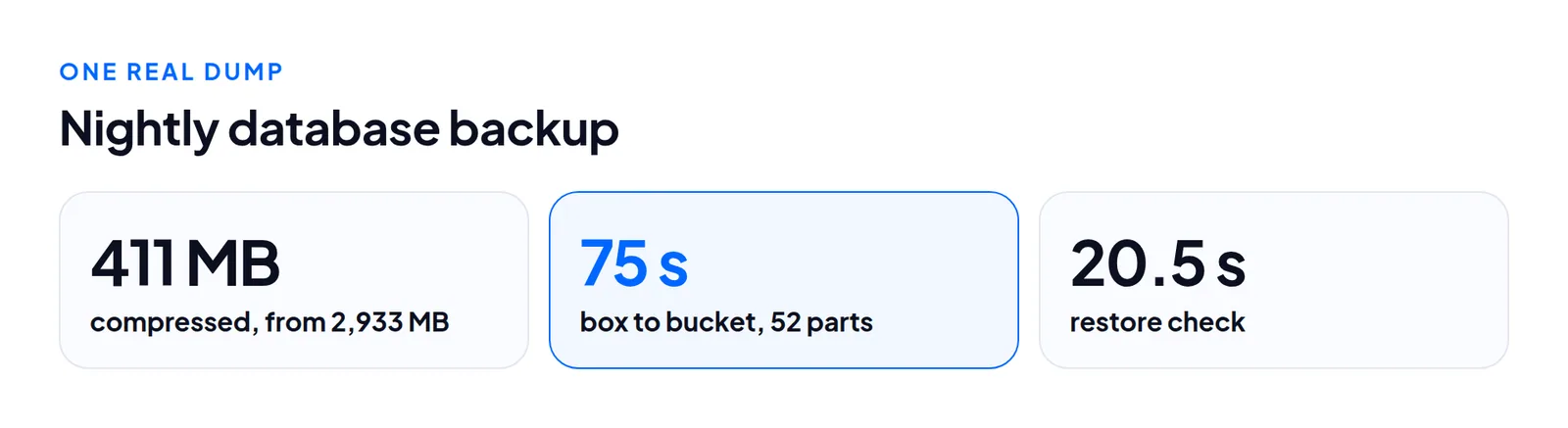
These numbers come from one box, so treat the timings as an order of magnitude and measure your own.
The database dump
mysqldump | gzip ran on the box and streamed straight into a multipart upload, one 8 MiB part in memory at a time. Nothing was staged on local disk, which matters when that disk holds the recordings. The ratio was about 7 to 1: 431,169,353 bytes compressed, 2,986,281,545 bytes read back, 52 parts.
What to leave out
The eight MEMORY tables, rebuilt empty on every restart: vicidial_auto_calls, vicidial_hopper, server_updater, live_channels, live_sip_channels, parked_channels, vicidial_campaign_server_stats, web_client_sessions. Backing them up preserves calls that are not happening. Our dump kept all 348 CREATE TABLE statements. To shrink the file, use --ignore-table for those eight, and test the restore on a spare server first.
Where to put it
Not on the same server, and not in the same failure domain. A snapshot from your cloud provider is useful, but it is tied to that account and that server. Hetzner's documentation explains backups versus snapshots; neither replaces a dump you can read.
We use one prefix per server inside a bucket per location, because providers cap the buckets per account:
servers/<serverId>/db/<UTC date>.sql.gz
servers/<serverId>/recordings/<YYYY>/<MM>/<DD>/<file>
Credentials stay on the machine doing the uploading. The dialer only streams out.
Retention: a prune must name what it deletes
We keep nightly dumps for 30 days, and the newest three survive any cleanup. A cleanup must name what it is allowed to touch. Ours takes one server's listing and refuses the whole run if it holds anything that is not that server's own dated dump.
We tested it with a decoy named like a dump plus .bak. The run kept 15, pruned nothing and said why. With the decoy removed it pruned exactly the oldest dump and left a recording in the same bucket alone. "Delete everything older than 14 days under this prefix" will one day delete a file you put there on purpose.
The restore check
A backup never restored is a hope. After each dump, with no spare server:
- Read the object back and hash it. It must match the SHA-256 recorded at upload.
- Decompress as a stream and count
CREATE TABLE. We got 348 against the box's 348. - Confirm
mysqldump's completion line is at the end.
This checks the file, not a restore into a working dialer. Do one full restore drill onto a spare box at least once.
How a real restore goes
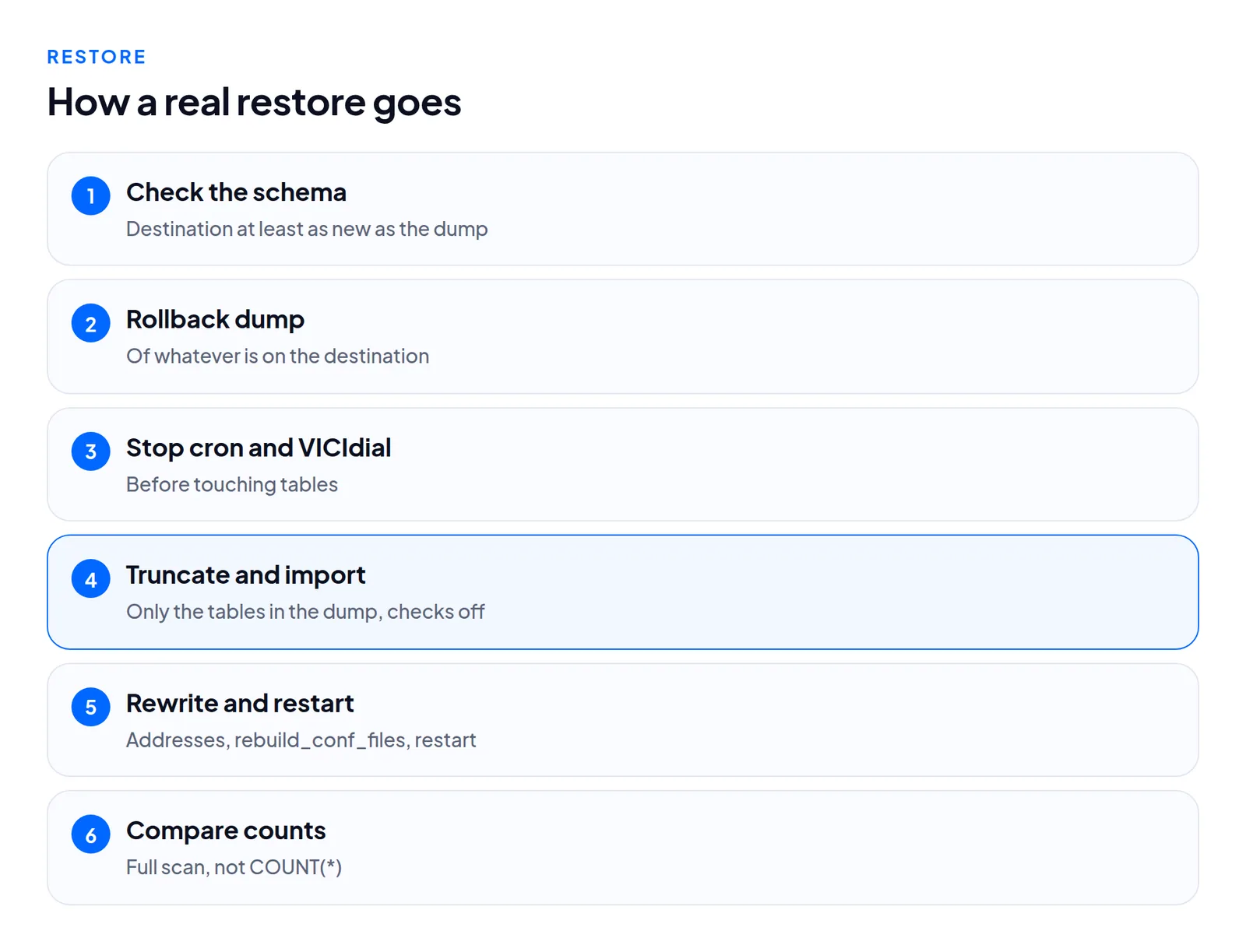
- Pick a destination with a schema at least as new as the dump (what we copy).
- Take a rollback dump of whatever is there.
- Stop cron and the VICIdial processes.
- Truncate exactly the tables the dump contains, foreign key checks off.
- Import with
mysql --force, foreign key and unique checks off. - If the address changed, rewrite the server address columns, set
rebuild_conf_files='Y'and restart. - Count rows on both sides with a full scan of a column that cannot be null.
Recordings
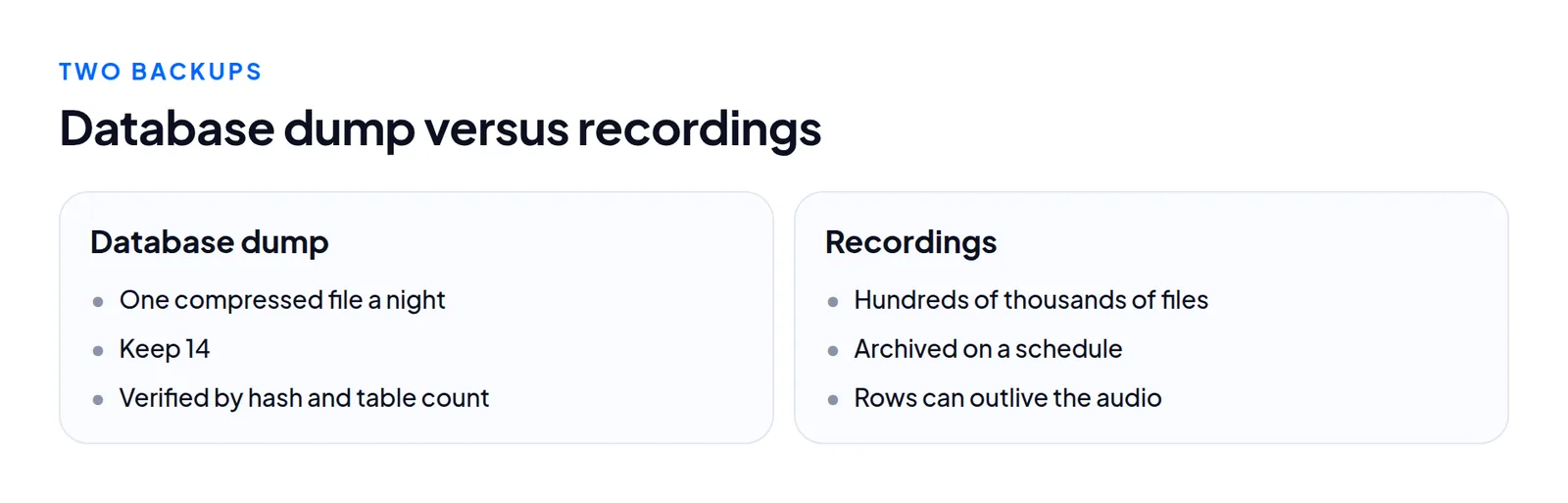
Recordings are files. One set was 24 GB in about 258,000 files, another 16 GB. The database row and the audio can separate. On one box recording_log rows ran to late July, yet none of nine sampled rows (out of 408,275) had its file on disk. A restore can bring back rows pointing at missing audio, so your player must say so plainly.
We archive older recordings on a schedule. The archive key comes from the row itself: the date from start_time, the name from filename. A recording is found without an index. In a test, a 43 MB recording was uploaded, checksummed and removed from the box. The download was byte-identical and arrived in 3.2 seconds, range requests included.
What we did not test
A full disaster restore onto a blank server, locking on a floor that dials all night, storage outside the EU, and InnoDB-based installs, where --single-transaction becomes right.
Questions people ask
How many dumps should I keep?
We keep nightly dumps for 30 days.
Can I back up recordings in the database dump?
No. They are files and need their own schedule.
Next steps
Pick a place that is not the server, dump nightly, verify with a hash and a table count, do one restore drill this month, and decide how long recordings stay on disk. See VICIdial hosting for what a hosted server includes, or migrate if you want the restore side done for you.
VICIdial is a trademark of its owner. Trustane is an independent hosting provider.
Sources
- Off-node storage report, a real dump, restore check and retention run
- Migration ground truth, tables that must not be copied
- Hetzner documentation, backups and snapshots overview
- Cover photo by Avinash Kumar on Pexels
Managed VICIdial hosting