VICIdial carrier setup: add a SIP trunk in 4 steps
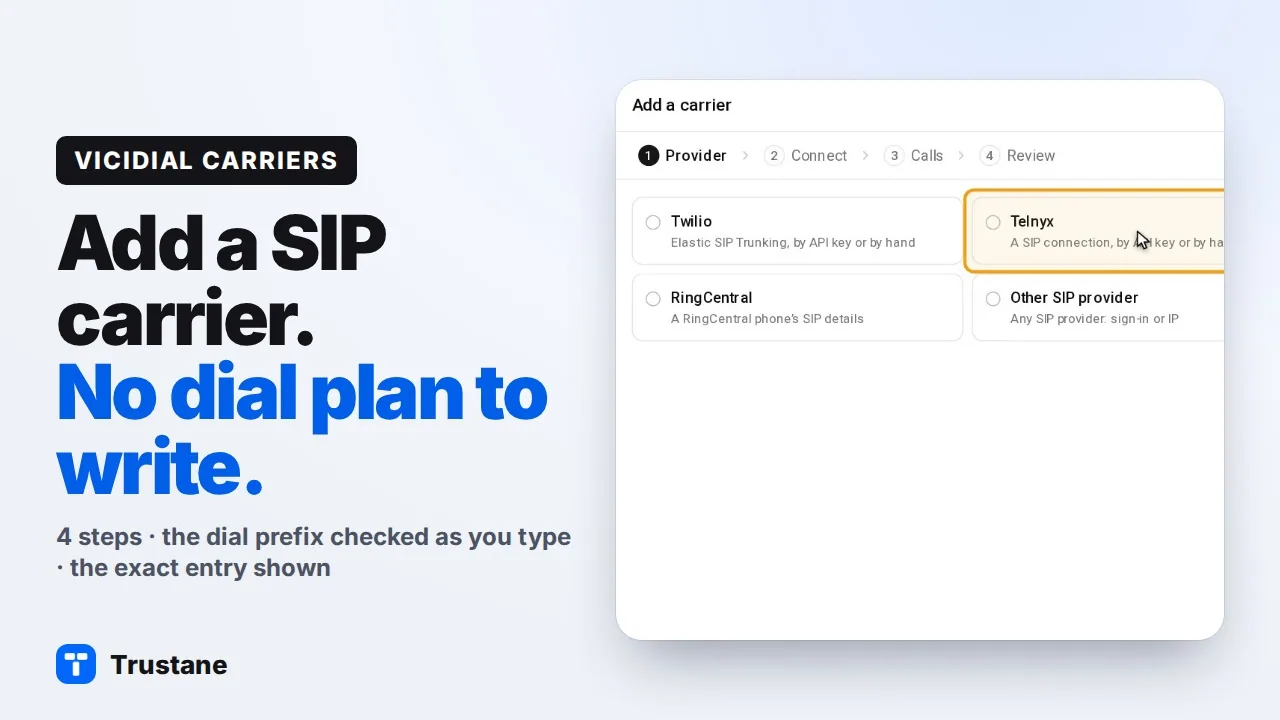
VICIdial carrier setup in the Trustane console: pick the provider, sign in or allow by IP, a dial prefix checked as you type, and the exact entry VICIdial gets.

To the point
VICIdial carrier setup in admin.php means writing the account entry and the dialplan entry yourself. In the Trustane console, Carriers, then Add carrier, takes 4 steps and writes both for you:
- Provider: Twilio, Telnyx, RingCentral or any other SIP provider.
- Connect: the SIP server with a username and password, or by IP. On a PJSIP server, a Telnyx API key or a Twilio Account SID and Auth Token is enough: Trustane sets it up on your account.
- Calls: the dial prefix, checked on the server as you type, and what the carrier receives.
- Review: each step, and the exact carrier entry and dial plan VICIdial gets.
Plays from YouTube when you press Play. Google's privacy policy applies.
The pictures come from our demo account. The SIP server 198.51.100.25 is in an address range kept for documentation, and the username is made up.
Open Carriers
- Open your server, then Carriers. Each carrier has a row: its state now, whether it makes or takes calls, and the campaigns that dial through it.
- Click Add carrier.

1. Pick the provider
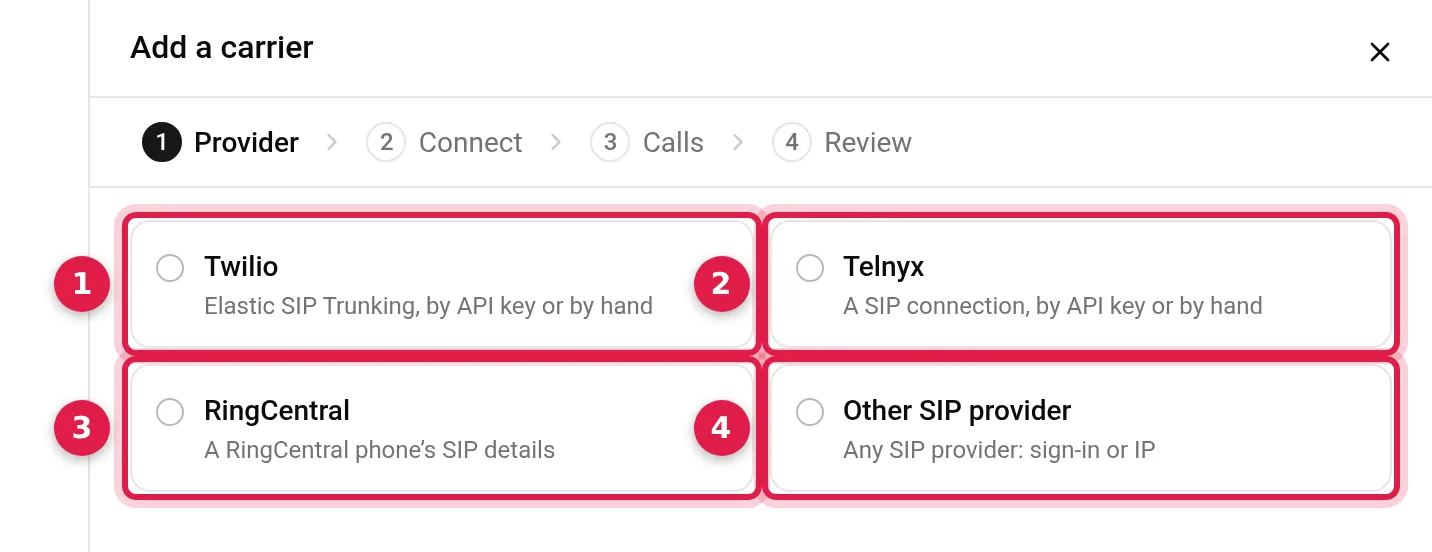
You are not asked whether the carrier is PJSIP or chan_sip. The console uses the server's own: PJSIP where the server takes it, chan_sip where it takes only that.
Twilio or Telnyx with an API key
On a PJSIP server, Twilio and Telnyx offer With your API key. Give Telnyx its API key, or Twilio its Account SID and Auth Token, and press Fetch:
- Telnyx: a new connection for this server that signs in, or this server added to an IP connection you already have, in the region you pick.
- Twilio: a new trunk for this server, or one you already have, with this server's credentials and IP.
- Numbers: the account's numbers are listed with their country and where their calls go now. The ones you tick move onto the carrier and arrive on Numbers, not routed yet.
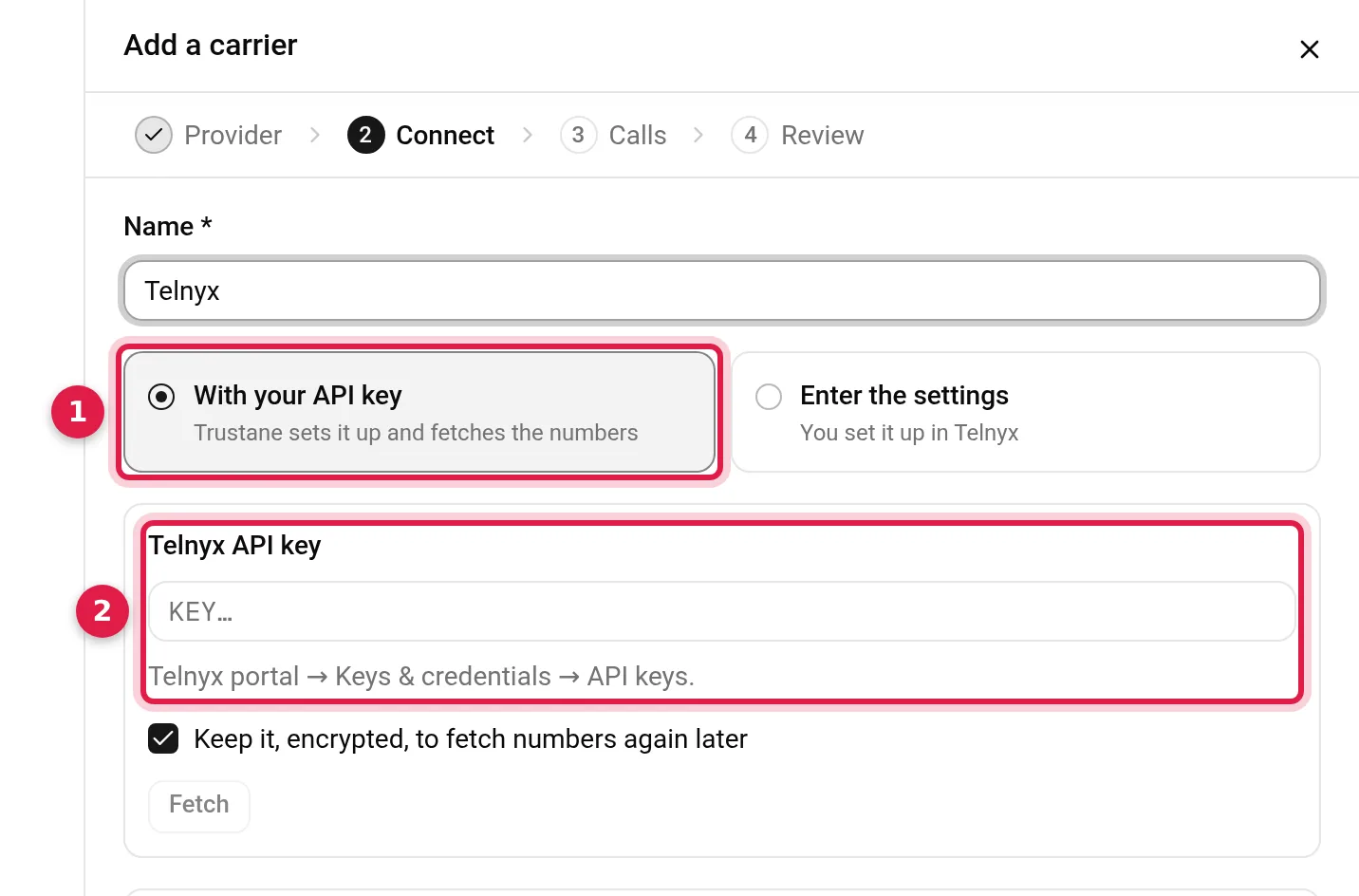
Enter the settings is there if you would rather set it up in Twilio or Telnyx yourself.
RingCentral
Paste the phone's SIP details from RingCentral's admin portal (Phones & Devices, the phone, Set up manually using SIP). The username, password, authorization ID, domain and outbound proxy are filled from them.
2. Connect
For any other provider:
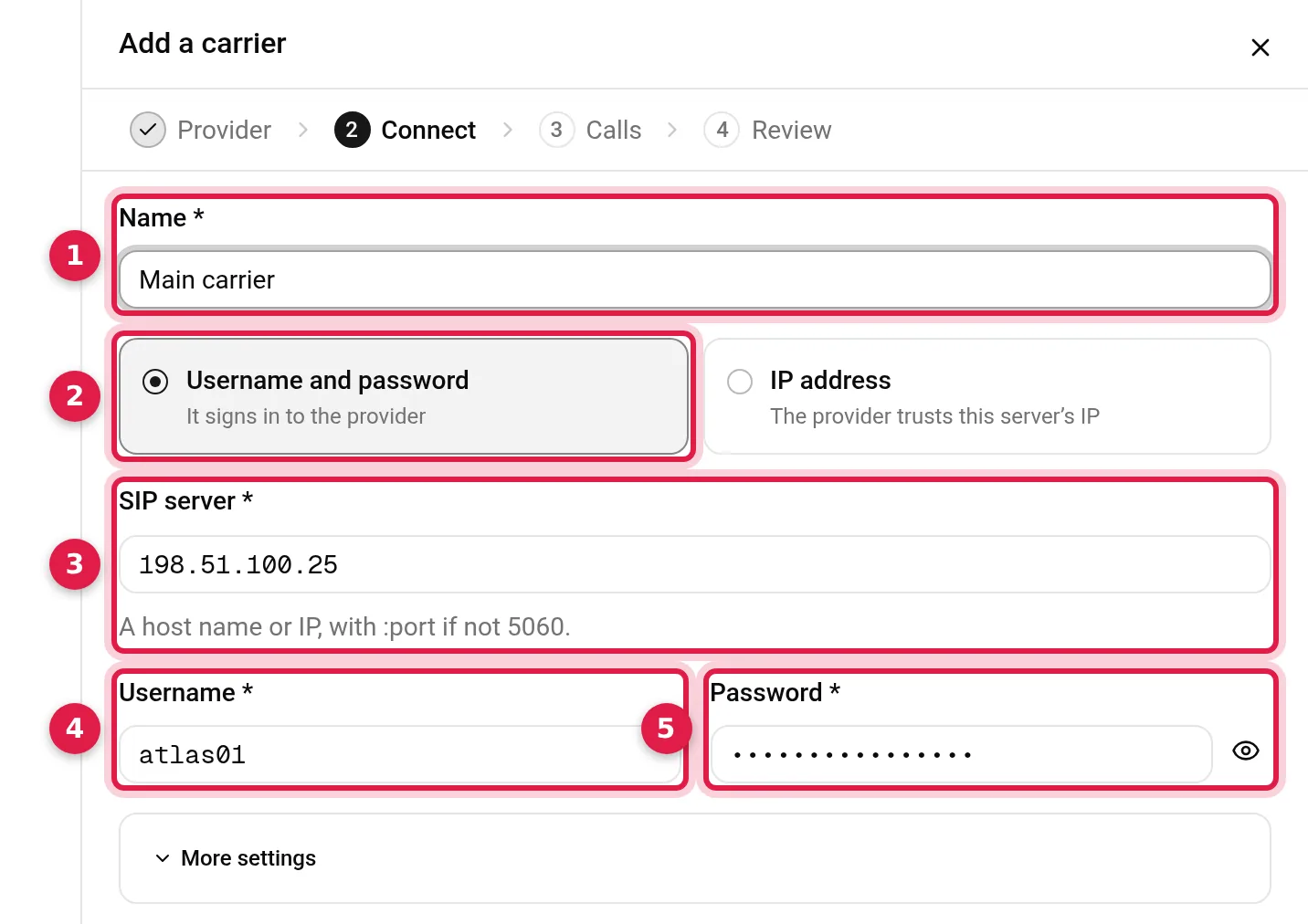
- Name: your name for the carrier. VICIdial's carrier ID is made from it.
- Username and password when the provider gave you a SIP login: the carrier signs in with it. Pick IP address instead when the provider allows calls by your server's IP.
- SIP server: a host name or IP, with
:portif it is not 5060. - Username and Password.
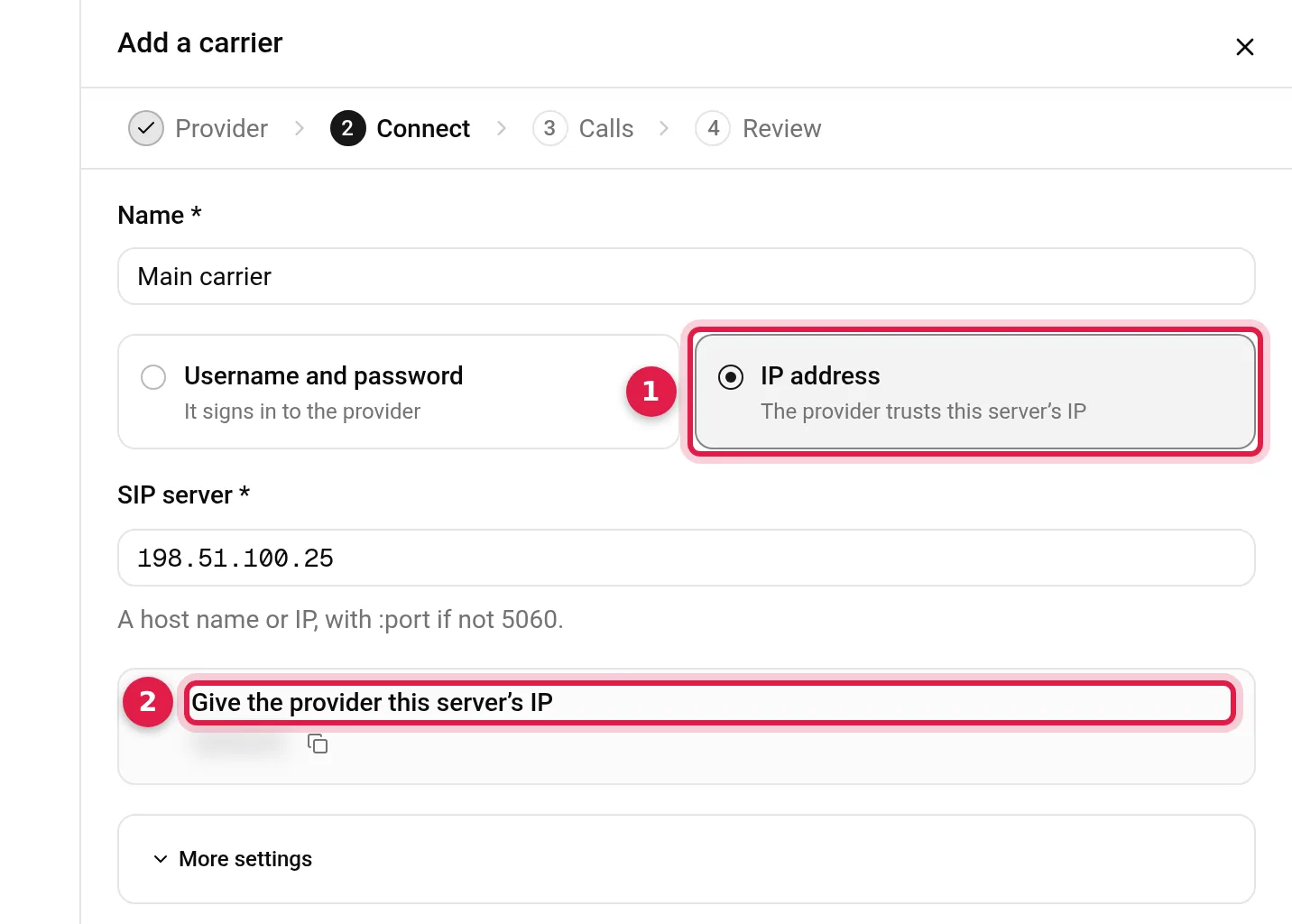
With IP address, the console shows your server's IP with a copy button, to give the provider. In the picture it is blurred.
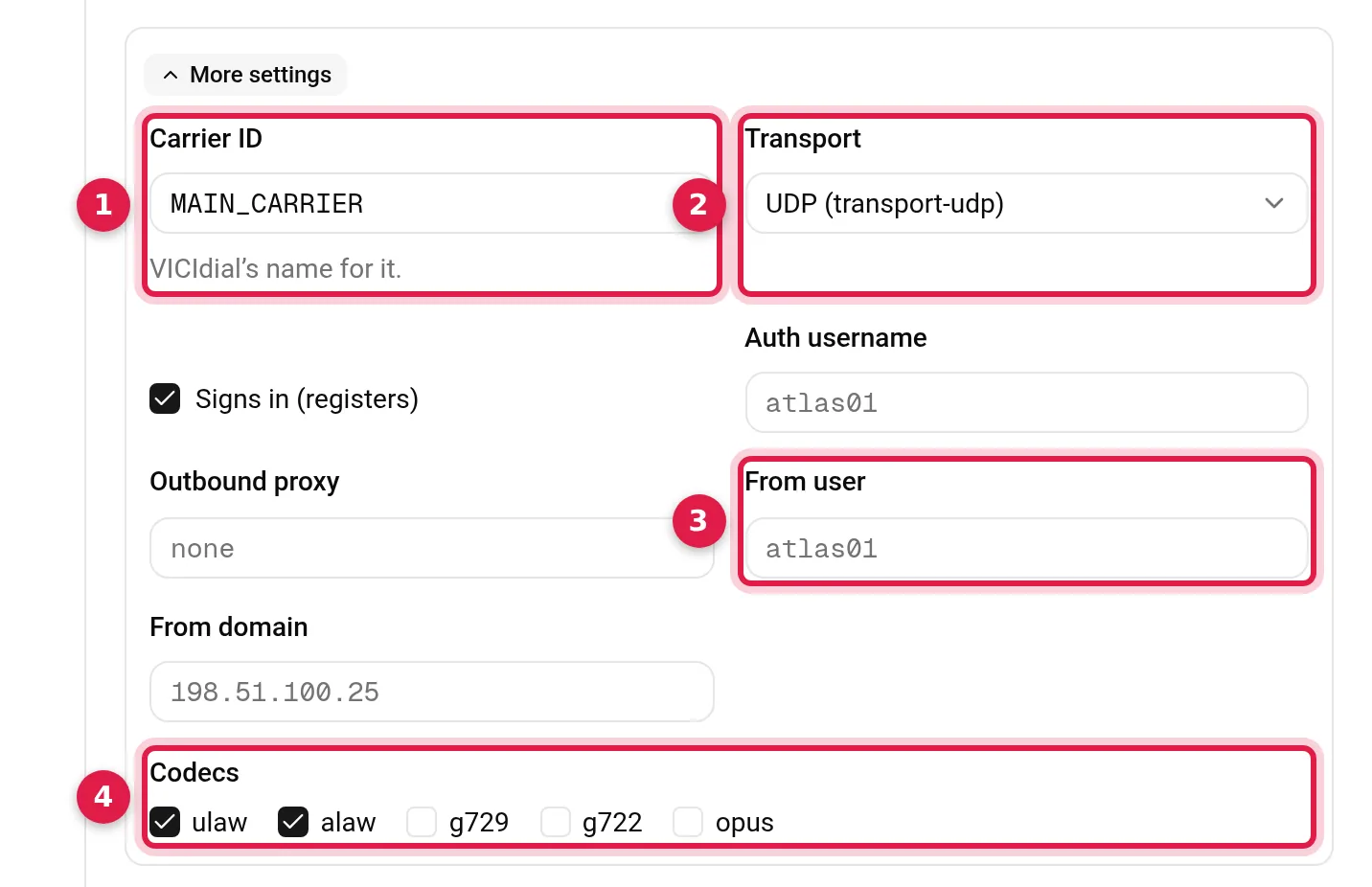
More settings holds what some providers ask for: the carrier ID, the transport, whether it signs in, an auth username, the addresses calls come in from, an outbound proxy, the From user and From domain, and the codecs. ulaw and alaw are ticked to start; g729, g722 and opus are there to add.
3. Calls: the dial prefix
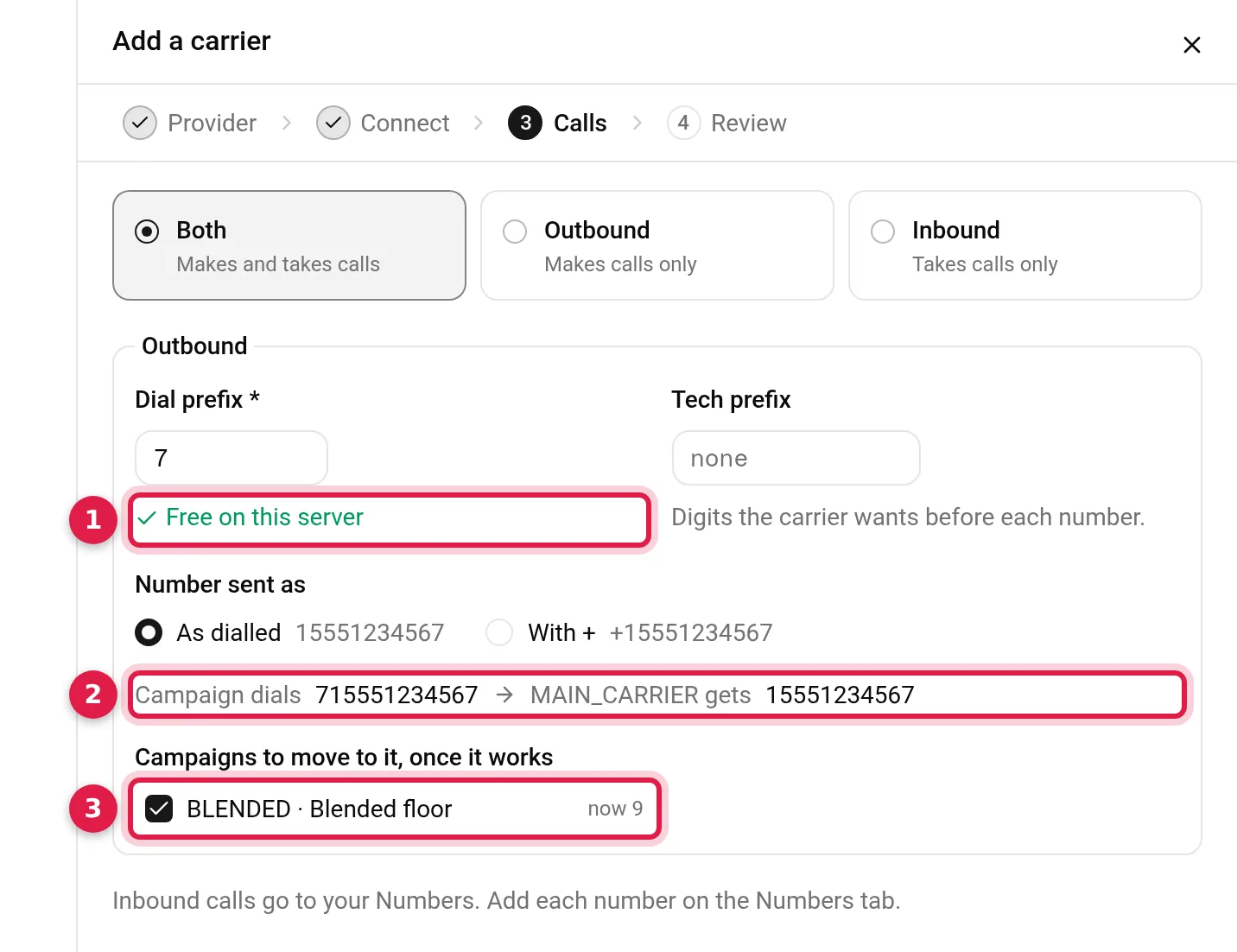
Pick Both, Outbound or Inbound. For outbound, the carrier needs a dial prefix. In VICIdial, a campaign reaches a carrier by its Dial Prefix: the campaign puts the prefix before the number, and the carrier's dial plan takes the numbers that start with it and drops the prefix.
-
Dial prefix: 1 to 4 digits, not starting with 0 or 8, which start VICIdial's own extensions, or 1, which is how a campaign with no prefix dials. The console suggests a free one, and checks what you type on the server: against every carrier's dial plan, and against what Asterisk already reaches with it. Here 9 is taken by the carrier DEMOTELCO, so it offers 7.
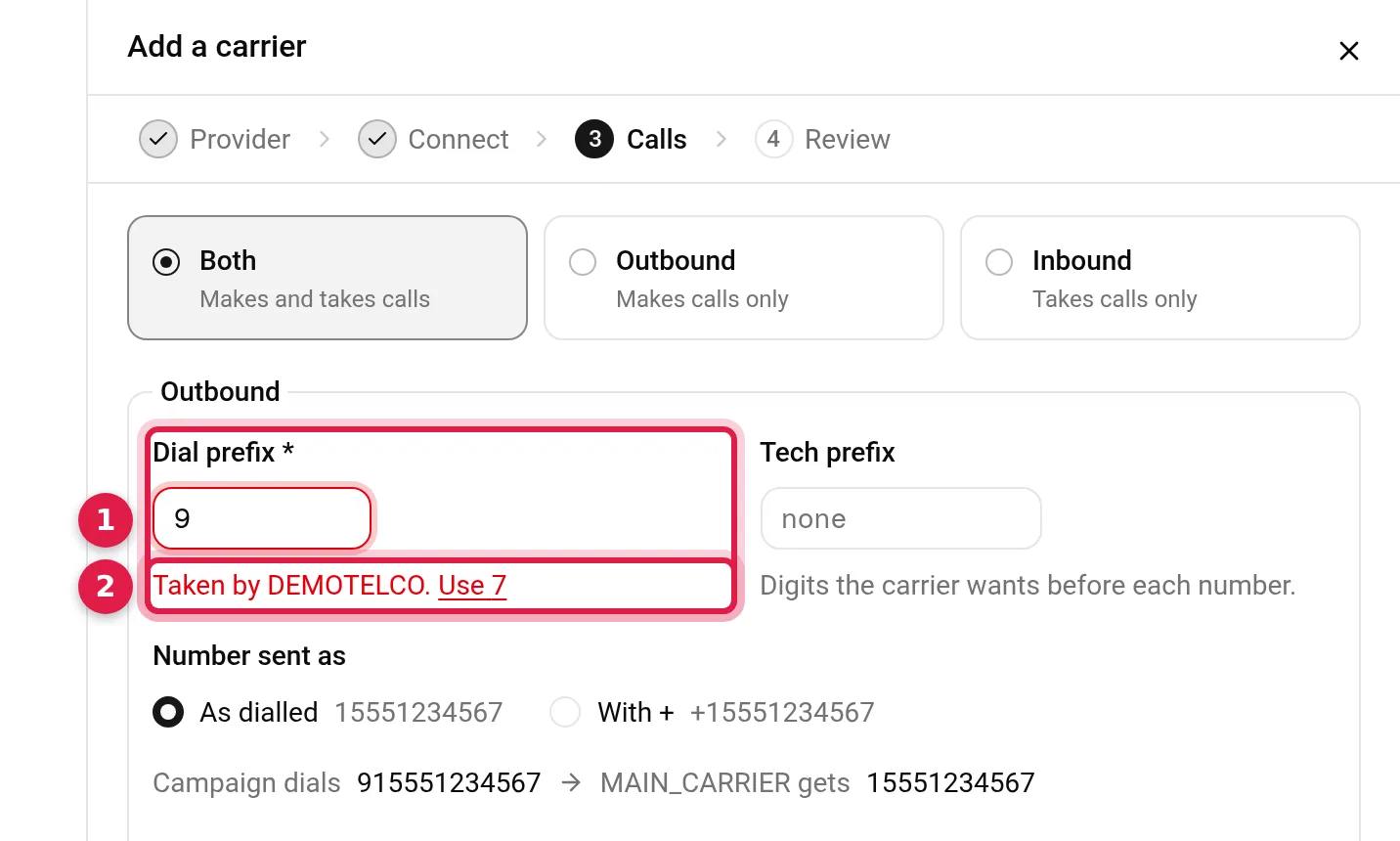
9 is taken on this server, so it offers 7 - Tech prefix: digits the carrier wants before each number, if it wants any.
- Number sent as: as dialled,
15551234567, or with a plus,+15551234567. - Campaigns to move to it, once it works: tick the campaigns that should dial through the new carrier.
The line above the campaigns shows the result: the campaign dials 715551234567, and MAIN_CARRIER gets 15551234567. Inbound calls go to your Numbers, where you add each number.
4. Review, then Add carrier
Review lists what happens, in order: the PJSIP carrier MAIN_CARRIER, signing in as atlas01; Asterisk loading it; outbound, 7 and the number to 198.51.100.25; inbound calls to your Numbers; and BLENDED moving to 7 once it works.
What VICIdial gets opens the exact text the console writes into VICIdial: the carrier's account entry and its three dial plan lines. The password shows as ********.
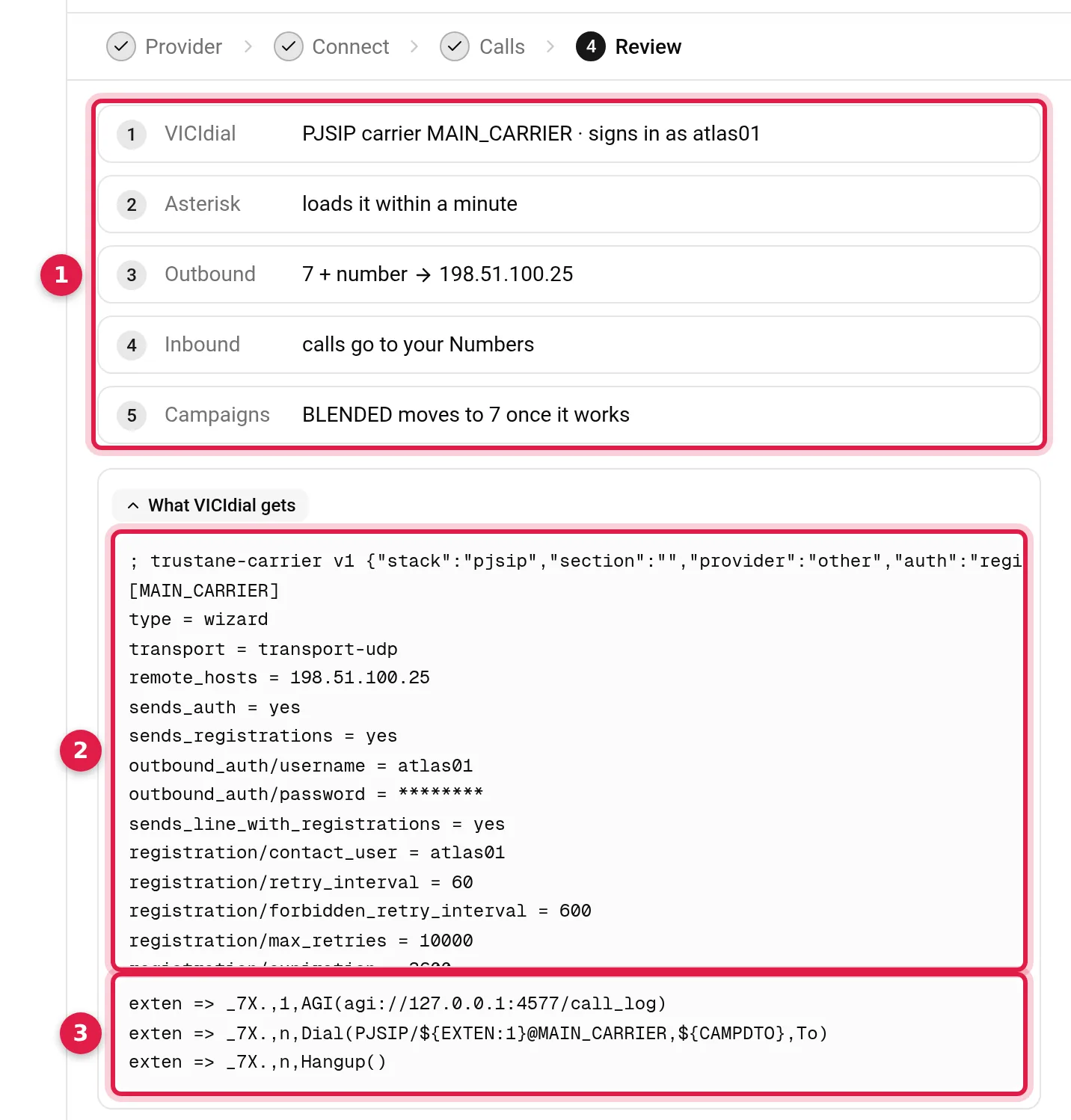
Add carrier writes the carrier to VICIdial, and Asterisk loads it in about a minute. The sheet stays open and shows its state as Asterisk reports it: Signed in, Reachable, Sign-in refused or Not reachable. Once Asterisk has loaded it, Move BLENDED to it sets the campaign's dial prefix. Wait until it is signed in or reachable first, or calls on that campaign fail.
Carriers made in admin.php
A carrier made in admin.php shows in the same list. Right-click it and pick Take over… to open it in the same steps. Saving rewrites it the way the console writes carriers, and Review lists every line it has now that is not kept. Setting up a PJSIP carrier in VICIdial on Asterisk 22 shows admin.php's carrier fields and what VICIdial does with each.
Questions people ask
PJSIP or chan_sip?
The server's own. The console offers PJSIP where VICIdial and Asterisk on the server take it, and chan_sip where they take only that. Asterisk 21 removed chan_sip, so moving a carrier from chan_sip to PJSIP explains what changes.
Can I change a carrier later?
Yes. Right-click it and pick Change. Its ID stays. If the change takes away a prefix that campaigns dial with, Review names those campaigns and offers to move them.
Why does the dial prefix not start with 0, 1 or 8?
Numbers starting with 0 or 8 are VICIdial's own extensions, and 1 is the country code a campaign with no prefix dials, so the console refuses all three and suggests 9, then 7, 6, 5 and on.
Next steps
- Moving a VICIdial carrier from chan_sip to PJSIP and carrier failover on Asterisk 22.
- SIP codes that mean the carrier is down, or the number is bad.
- Order a server and add your carrier.
VICIdial is a trademark of its owner. Trustane is an independent hosting provider. Twilio, Telnyx and RingCentral are trademarks of their owners. Trustane is not affiliated with them.
Sources
- Trustane console, the Add a carrier wizard
- Trustane console, the carriers list and its row menu
- Trustane console, what is written for a carrier and the form's limits
- Trustane console, the dial prefix check and the write to VICIdial
- Trustane console, setting up Twilio and Telnyx by API
- VICIdial agent screen, the Manual and 3-Way Dial Prefix fallback
Managed VICIdial hosting