VICIdial agent monitoring: how listen, barge and whisper work
How VICIdial monitors an agent's call: the listen, barge and whisper modes, the Real-Time Main Report steps, the settings behind them, and the monitoring log.

To the point
VICIdial agent monitoring is a phone call. You give VICIdial a phone, it rings that phone, and when you answer you are inside the agent's session.
- Listen joins you muted and silently.
- Barge joins you as a speaker. The agent and the customer both hear you.
- Whisper lets only the agent hear you. It is off until you switch it on.
- Every start is written to a monitoring log.
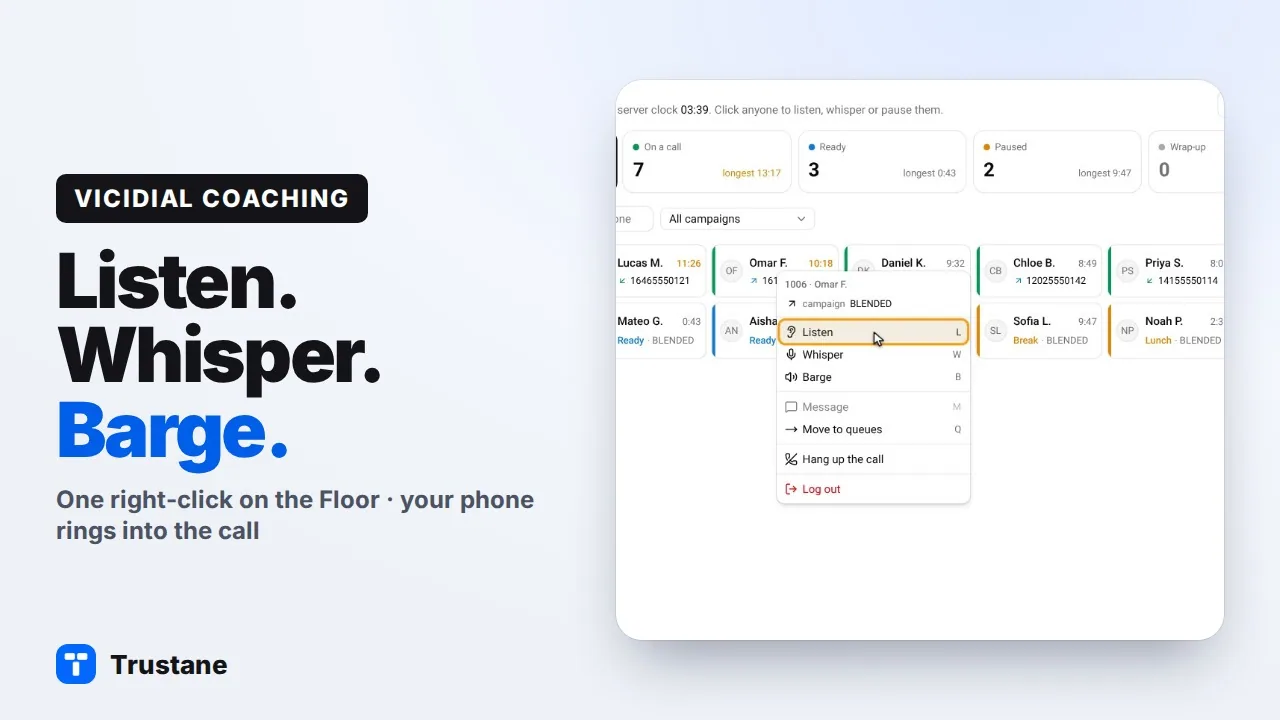
Plays from YouTube when you press Play. Google's privacy policy applies.
Tell your agents that their calls can be monitored before you use any of this. Tell callers too, at the start of the call, that it may be monitored or recorded. Notice or consent is required in some places, so check the rules that apply to you and to your callers.
Monitoring is a call to your phone
Each agent who is logged in has a session on the server: a conference that their phone and their customer's call are joined to. To monitor, VICIdial places one more call. It rings the phone you named, and joins it to that session.
So monitoring always needs two things: an agent with a session, and a phone of yours that the server knows. The phone can be any entry on the server's Phones list.
The three modes
| Mode | How you join | Who hears you |
|---|---|---|
| Listen | Muted, with no join or leave sound | Nobody |
| Barge | As a speaker | The agent and the customer |
| Whisper | On the agent's line only | The agent only |
Three details matter:
- Listen makes no sound on the call. No tone plays for the agent or the customer when you join or leave, unless the campaign plays a monitoring warning (below).
- Barge is not always silent. On a server that uses ConfBridge, a barge is not marked quiet, so the people on the call may hear an entry tone.
- Whisper ships switched off. The system setting is Enable Agent Whisper Monitoring, and VICIdial's own help text calls the feature experimental.
How to monitor an agent in VICIdial's admin
- Open Reports, then Real-Time Main Report.
- Click Choose Report Display Options.
- Set Monitor to MONITOR or BARGE. WHISPER is listed only when whisper is switched on.
- Enter your phone under Phone and press SUBMIT.
- Each agent row now has a link: LISTEN, and with BARGE or WHISPER chosen a second link for that mode. Click it.
- The report answers "SUCCESS: calling" with your phone. Answer the phone.
That is six steps the first time, and one click per agent after that while the report stays open.
The whisper trap
If whisper is switched off and a program asks VICIdial's API for a whisper, the API does not refuse. It starts a plain listen and answers success. A manager who then speaks, believing only the agent can hear, is talking to nobody.
VICIdial's own report avoids this by leaving WHISPER off its list until the setting is on. Anything else that calls the API has to check the setting itself. The monitoring log shows the truth afterwards: a whisper that was turned into a listen is logged as LISTEN.
Letting the agent know
A campaign has a setting named Blind Monitor Warning. It is off by default. It tells the agent that someone is monitoring:
- ALERT shows one pop-up on the agent screen.
- NOTICE keeps a note on the agent screen while they are monitored.
- AUDIO plays a sound file into the session once. VICIdial's help says it is played for everyone in the session, the customer included. No file is set by default, so AUDIO is silent until you choose one.
The other choices combine these three.
In VICIdial's code, the warning is raised only for a listen on a server that uses MeetMe, not for a barge or a whisper, and not on ConfBridge. Do not rely on it alone: tell your agents in writing as well.
This setting is not a notice to callers: it acts in the middle of a call, and only when monitoring starts. Tell callers at the start of the call, in the in-group's welcome message for inbound calls or in the agent's opening line for outbound calls.
What gets logged
VICIdial writes one row to its monitoring log each time monitoring starts: the user who started it, the phone that was rung, the agent, the lead, the campaign and the mode. Started from the Real-Time Main Report, the user is the manager's own login. Started through the API, it is the API user.
Switching modes during a call
On a ConfBridge server, the system setting Enable Enhanced Agent Monitoring adds a keypad menu to the monitoring call: press 4 to listen, 5 to barge, 6 to whisper. It is off by default.
The same thing from a right-click
In the Trustane console the phone is chosen once, and the modes are on each agent's right-click menu on the live floor.
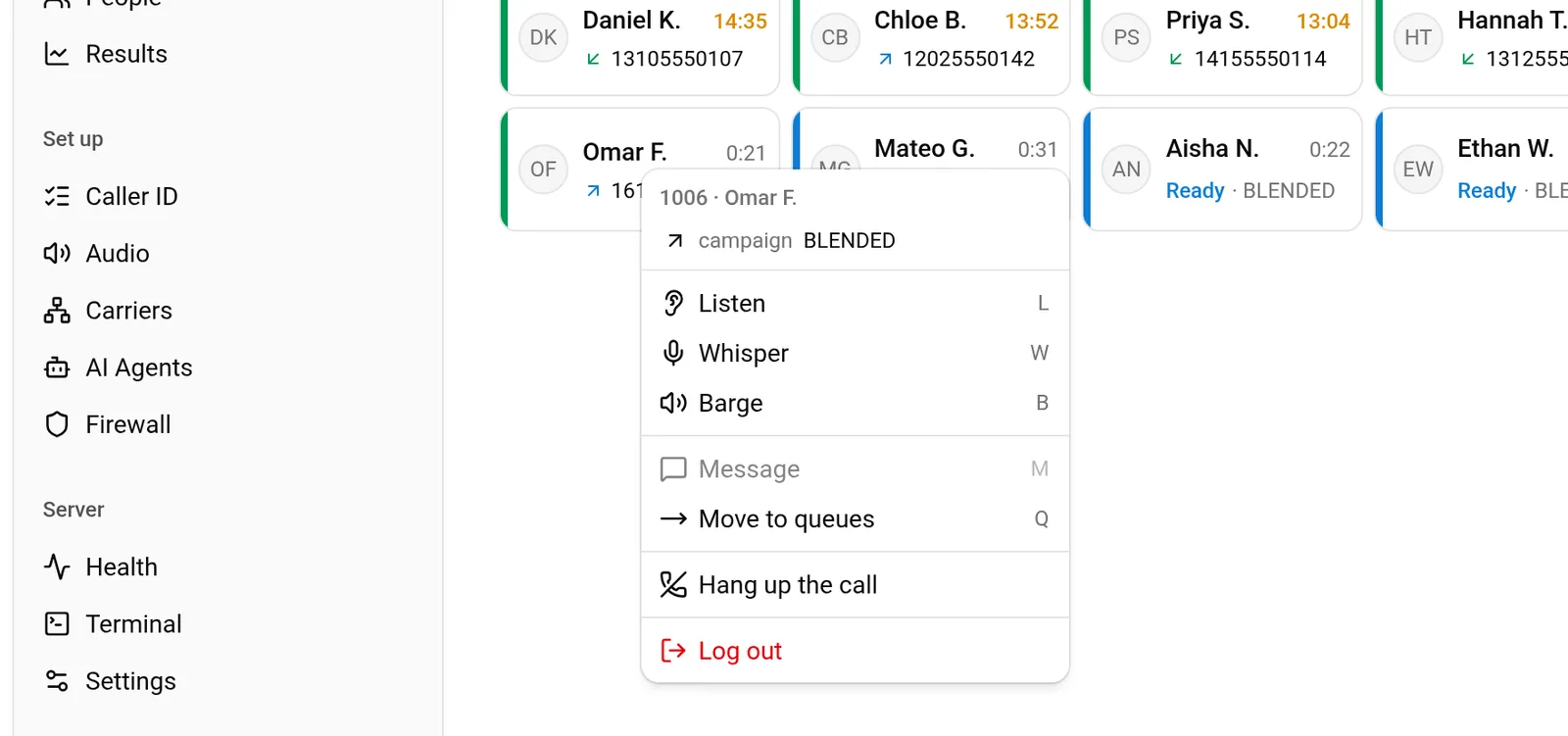
The console refuses a whisper while the setting is off, instead of passing on a listen that looks like a whisper. Listen, whisper and barge from the floor has the steps.
Next steps
- Listen, whisper and barge from the floor: the four steps, with pictures.
- Find what happened to any call.
- Try a server: the first 7 days are free.
VICIdial is a trademark of its owner. Trustane is an independent hosting provider.
Sources
- VICIdial SVN r4038, the blind_monitor API function
- VICIdial behaviour checked line by line, 14 November 2026
- How the Trustane console starts and checks a monitoring call
- Trustane console, the agent's menu on the Floor
Managed VICIdial hosting